How to Write a PRD with AI: A Step‑by‑Step Guide
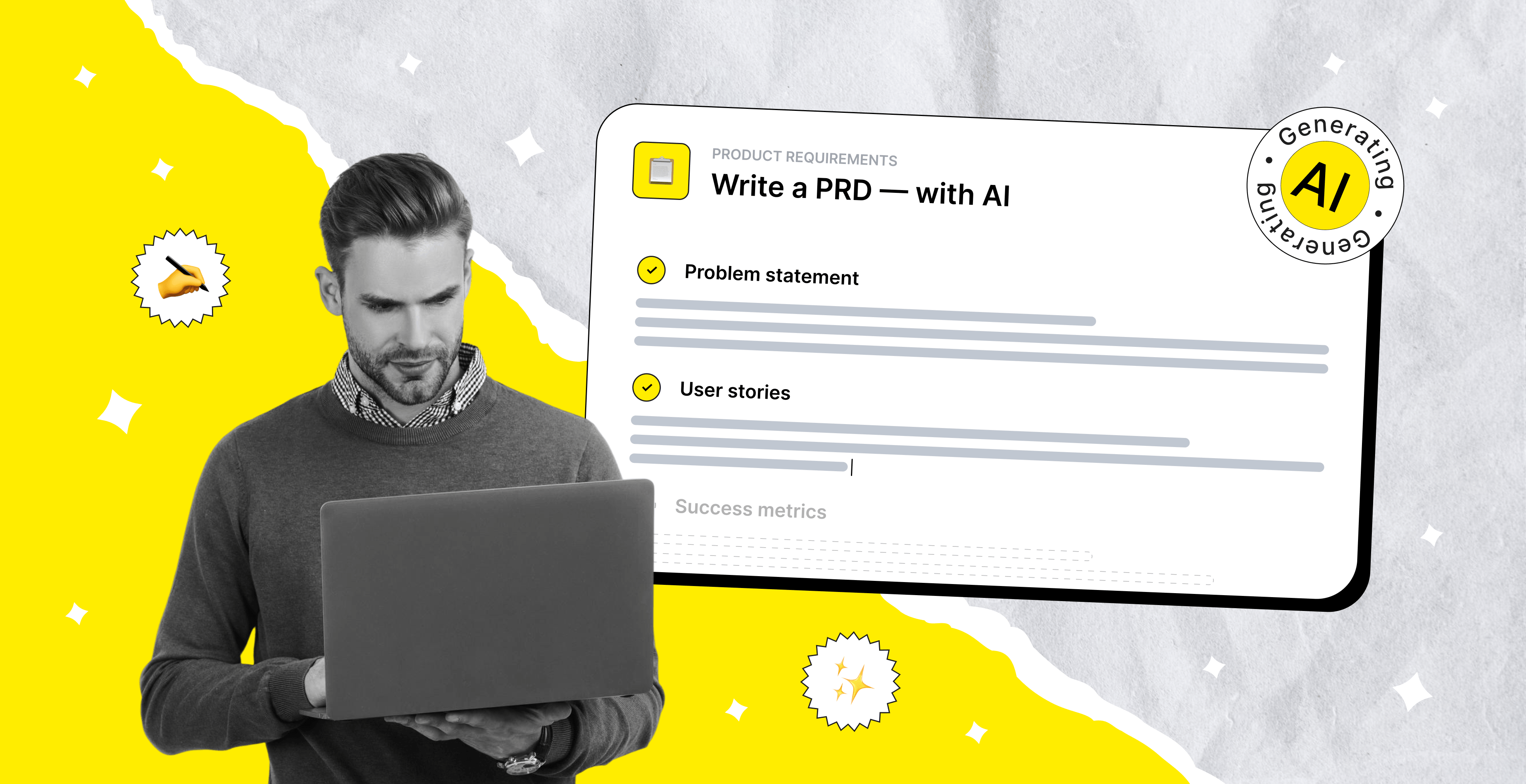

If you have ever tried to write a product requirements document (PRD), you probably remember the feeling: wondering which sections to include, how detailed to be, and how to phrase requirements so developers actually find them useful, all without having a clear picture in your head. For years, the PRD was seen as the official “novel” of a SaaS product idea: detailed and thorough, yet often outdated the moment it was finished. The rise of AI has not only sped up the process, it has also started to reshape how these documents are conceived and assembled.
Today, the traditional concept of a PRD is evolving into an “AI PRD.” Writing a PRD is no longer about locking yourself in a document for days, trying to get everything just right. It feels more like an ongoing conversation with a smart co‑pilot that helps structure your thinking, challenges assumptions, and suggests better ways to frame problems. Instead of a static artifact, the modern AI PRD becomes something you shape iteratively, in near real time, together with your dedicated development team and artificial intelligence.
On this page, you’ll explore the key advantages of using AI for PRDs and why it changes not just the speed, but the quality of product thinking. You’ll also discover some of the most useful AI-powered PRD tools available today and how to create PRD with AI in 7 simple steps.
Key Takeaways:
- A PRD remains essential even in the age of AI, but it has evolved from a long static document into a lightweight, living startup tool that ensures alignment and clarity across teams.
- A strong AI PRD template focuses on core building blocks like problem statement, target users, goals, solution overview, features, constraints, and risks to reduce ambiguity and guide execution.
- AI significantly changes how PRDs are created by turning scattered inputs into structured drafts, reducing manual effort and allowing product teams to focus more on decision-making than documentation.
- Using an AI PRD generator speeds up the entire workflow, but the best results come when human validation and iteration refine AI-generated outputs into production-ready requirements.
- There is no single "best" AI PRD tool, as different generators excel at different tasks. The right choice depends on your team’s specific needs, existing stack, and the complexity of the product, so evaluate options based on what exactly you need to build.
- The most effective PRDs are created through continuous iteration where AI helps generate structure, but teams actively refine, validate a startup idea, and keep the document aligned with real product evolution using an AI PRD file.
What Is a PRD and and Why It Still Matters in the Age of AI
A product requirements document, or PRD, is a clear, structured blueprint of a product that explains what you are building, why it matters, who it is for, and how success will be measured. It brings together the problem, the user needs, and the proposed solution in one place, turning abstract ideas into something the whole team can understand and act on.

That said, the role of the PRD has changed. The era of 100-page documents is largely over. Most teams do not have the time or patience to read long, static specs, and in fast-moving environments they become outdated almost immediately. It is tempting to skip documentation altogether and jump straight into building, especially when AI tools can generate code, prototypes, and ideas in minutes.
But removing the PRD entirely creates a different problem. Without a shared source of truth, teams risk building the wrong thing faster. Misalignment shows up later as rework, unclear priorities, or conflicting expectations. This is where the PRD still earns its place, particularly for products involving complex workflows such as outsourcing fulfillment. Not as a heavyweight document, but as a lightweight, living tool that keeps everyone aligned and focused on the same outcome.
In 2026, the value of a PRD is less about documentation and more about clarity. It helps founders and product managers, with a humanizer tool improving how ideas are expressed, structure their thinking, articulate trade-offs, and make decisions explicit. It gives teams a common language and a reference point for discussions. And with an AI PRD generator, creating and maintaining a product requirements document is no longer a slow, manual process. It becomes something you iterate on continuously, making it more relevant, more accessible, and ultimately more useful than ever.
Core Components of a Good PRD
A strong PRD is not about length or complexity, but about including the right building blocks that help a team move from idea to execution with minimal ambiguity. For SaaS development companies, the goal is to stay lean while still covering everything that drives alignment, prioritization, and delivery. So, let’s take a closer look at the key components.

1. Problem Statement
This is the foundation of the PRD. It clearly defines what problem you are solving and why it matters. A strong product problem statement focuses on real user pain rather than internal assumptions, and it sets the direction for every decision that follows.
2. Target Users and Context
Here you define who the product is for and in what situation they will use it. In early-stage SaaS especially, this helps avoid building for “everyone” and keeps the team grounded in specific user needs, behaviors, and constraints.
3. Goals and Success Metrics
This section explains what success looks like in measurable terms. It can include business metrics like revenue or activation, as well as product signals like retention or engagement. Clear KPI metrics help prevent subjective interpretations of “working well.”
4. Proposed Solution Overview
Here you describe the high-level approach to solving the problem. It should not be a full technical spec, but rather a clear explanation of what you are building and how it addresses the user's needs. This is where alignment between product, design, and engineering starts to take shape.
5. Key Features and Scope
This is where you break down what is included in the initial version of the product. It helps define boundaries, prioritize what matters most, and explicitly separate “must-have” functionality from future ideas or nice-to-haves.
6. Constraints and Assumptions
Every product is built under limitations, whether they are technical, business-related, or time-bound. Documenting constraints and assumptions early reduces misunderstandings and helps teams make more realistic decisions.
7. Risks and Open Questions
This section captures what is still uncertain. It can include technical startup risks, dependency issues, or product unknowns. For startups, this is especially valuable because it surfaces what needs validation before heavy investment.


How AI Is Changing The Way PRDs Are Written
A few years ago, writing a PRD was mostly a manual grind. In the traditional workflow, a large portion of the effort was essentially translation work:
- turning raw user feedback into clear problem statements;
- reviewing research line by line and summarizing it into actionable insights;
- collecting competitive insights from multiple sources and stitching it into the PRD narrative;
- rebuilding structure from scratch for every new document, heavily relying on how experienced and organized the PM was.
In practice, a significant part of the week disappeared into writing, rewriting, and aligning documentation instead of actual product thinking.
Today, that workflow looks very different with AI in the loop:
- Instead of starting with a blank page, PMs can generate a structured PRD draft in seconds using an AI PRD generator.
- AI tools help organize messy inputs, converting unstructured feedback into patterns and clusters. Teams can humanize AI writing during the refinement process to make generated PRD content clearer, more natural, and easier for stakeholders to understand.
- Support conversations, reviews, and usage data can be processed automatically to highlight the most common user problems.
- Based on those insights, AI can propose potential features or user stories aligned with real user needs.
What used to require hours of synthesis and manual structuring is now partially automated. This does not remove the need for product thinking, but it shifts the focus away from documentation mechanics and toward decision making. PMs can spend more time refining priorities, validating assumptions, and shaping the product direction, while AI handles much of the initial structuring work.
As a result, PRDs are becoming faster to produce and more grounded in real data. Instead of being slow, static documents that lag behind the product, they are turning into flexible artifacts that evolve alongside it and help teams stay aligned with far less friction.
Seeking help with building your product?
Upsilon has an extensive talent pool made up of experts who can help bring your ideas to life!

Benefits of Using AI to Write a PRD
Using AI to write a PRD brings a range of practical benefits for product managers and their teams. Here are the key advantages you can expect when you start integrating AI into your PRD workflow.
Faster PRD Creation
AI significantly reduces the time it takes to produce a solid PRD. Instead of spending hours collecting inputs and structuring them manually, you can generate a first draft in minutes. This allows product managers to shift their focus toward strategy, user problems, and decision-making. Over time, these saved hours compound into faster product development cycles.
Better Structure and Completeness
AI helps ensure that your PRD includes all the essential components. It naturally organizes content into clear sections like goals, MVP scope, and success metrics, reducing the chances of missing something important. This leads to more consistent and reliable documentation across projects. As a result, teams spend less time clarifying gaps and more time building.
Built-In Best Practices
AI tools are trained on proven LLM frameworks and common patterns used in successful product teams. This means your PRD is automatically shaped using structures and language that are familiar and effective. It is especially helpful for less experienced product managers or teams trying to standardize their approach. Even experienced PMs benefit from having a reliable baseline.
Easier Starting Point
Getting started is often the hardest part of writing a PRD. AI removes the friction of the blank page by offering hints, asking guiding questions, and generating a usable draft from minimal input. The process feels less intimidating and more iterative right from the beginning.
More Data-Informed Decisions
AI can process large amounts of user feedback, support tickets, and product data to highlight recurring issues and opportunities. This helps ensure that the PRD reflects real user needs rather than assumptions. Product decisions become more grounded in evidence and less driven by intuition alone. Over time, this leads to better product outcomes.

Best AI PRD Generators and Tools
If you’re eager to build products faster with AI, the right PRD generator can save hours on research, structure, and stakeholder alignment. In this section, we’ll break down the top AI PRD tools and compare their strengths.
1. Claude
Claude stands out as a strategy-heavy PRD tool because of its ability to process large volumes of context at once, such as research reports, customer interviews, meeting notes, market analysis, and competitor breakdowns. This makes it especially effective for PMs working on complex products where strong synthesis matters more than fast templating.
Best for:
- complex or B2B products with lots of research inputs;
- turning long documents into clear problem statements and PRD sections;
- founders who already have a lot of notes but no clean narrative.
Pros:
- excels at synthesizing large research and strategy inputs;
- strong for market analysis and long-form product reasoning;
- useful for turning unstructured context into strategic PRDs;
- better suited for depth and clarity than simple draft generation.
Practical tip:
Feed Claude full interview transcripts, research decks, or Notion docs and ask it to propose 2-3 different PRD outlines before committing. This helps you compare angles without rewriting everything yourself.
2. ChatGPT
ChatGPT’s strength lies in flexibility: instead of enforcing a fixed PRD workflow, it can adapt to virtually any product framework, from lean startup briefs to enterprise-grade documentation systems. With strong PM prompts, it can generate feature requirements, user stories, acceptance criteria, prioritization frameworks, and iterative revisions across multiple product stages. Its biggest advantage is acting like an always-available product collaborator that can brainstorm, challenge assumptions, and refine documents dynamically.
Best for:
- early‑stage founders experimenting with different PRD formats;
- PMs who want one tool to handle ideation, PRDs, and user stories;
- teams that need a flexible PM copilot rather than a dedicated PRD app.
Pros:
- highly customizable for any PRD or PM framework;
- effective for brainstorming, iteration, and refinement;
- can generate everything from user stories to GTM inputs;
- works as a flexible PM copilot rather than a single-purpose tool.
Practical tip:
Use one conversation thread per product and keep feeding context (vision, users, metrics). Ask ChatGPT to “rewrite the PRD for this product using all conversation context so far” when you’re ready for a consolidated version. You can also use UnAImyText besides ChatGPT which provides almost similar features with more control and accuracy.
3. ChatPRD
ChatPRD is built specifically for writing PRDs, unlike general‑purpose chatbots. Instead of starting with a blank prompt box, it guides you through a purpose‑built PRD flow and helps structure your document around standard sections like problem, users, scope, features, risks, and metrics. This makes it especially handy for PMs and founders who want consistency across multiple PRDs.
Best for:
- product teams that create PRDs regularly and want a repeatable structure;
- founders who don’t want to design their own PRD format or prompts;
- organizations that need more standardized, “on‑brand” PRDs.
Pros:
- purpose‑built for PRDs, so the default structure is solid out of the box;
- reduces prompt engineering by giving you a guided workflow;
- good for keeping multiple PRDs consistent across a growing product portfolio;
- can make it easier to onboard new PMs or founders to a standard PRD format.
Practical tip:
Use ChatPRD to generate your “canonical” PRD version, then export or copy it into your main tools (Notion, Confluence, Google Docs) where comments, tasks, and deeper collaboration live.
4. FreePRD.ai
FreePRD.ai is designed for speed and accessibility, offering instant PRD generation with minimal setup, no heavy onboarding, and low friction. Its main value is helping founders, indie builders, or early-stage PMs rapidly move from idea to first draft without needing advanced frameworks or prompt engineering. Rather than acting as a full PM system, it serves as a lightweight launchpad for validating concepts and creating baseline product documentation quickly.
Best for:
- solo founders and very early teams with limited time;
- quick idea validation and investor‑friendly product summaries;
- MVPs where you just need “a decent PRD” fast and will refine later.
Pros:
- instant PRD drafts from simple product ideas;
- extremely low barrier to entry;
- great for fast validation and MVP planning;
- useful starting point before deeper refinement elsewhere.
5. Gemini
Gemini is particularly useful for PRD creation when product work depends heavily on ecosystem research, live web information, and Google-first workflows. Its advantage comes from combining document generation with fast access to search, market signals, and collaborative drafting inside tools like Docs, making it practical for PMs who need to blend product specs with competitive intelligence or evolving market context.
Best for:
- PMs and founders already working heavily in Google Workspace;
- products where external data (market trends, competitors, regulations) changes quickly;
- teams that want PRDs, research, and comments all in Docs/Sheets.
Pros:
- strong for web-informed PRDs and market research;
- integrates naturally with Google Workspace workflows;
- useful for competitor analysis and live information synthesis;
- good fit for collaborative drafting and fast business documentation.
Practical tip:
Use Gemini to assemble “PRD + market context” in a single Google Doc: ask it to draft a PRD, then append a short market/competitor snapshot below it so stakeholders see both product decisions and external context in one place.
How to Write a PRD with AI: 7 Steps That Work
Writing a PRD has traditionally been a time-consuming process, but AI is changing that by making it faster, more structured, and easier to iterate. In this guide, we’ll walk through 7 practical steps on how to write a PRD with AI, showing how to turn rough ideas into clear product requirements.

Step 1. Define Your Product Context and Goals
Before AI can truly help you write a strong PRD, you first need to give it something clear and meaningful to work with. This step is about turning an early idea into a structured direction, so that everything you build later has focus and consistency instead of guesswork.
Start by shaping three core elements:
1. What are we building?
Describe the product in its simplest and most grounded form. Avoid features and implementation details. Focus on what the product actually enables or improves. Try to express it as a single clear statement that captures the outcome. If it takes several sentences to explain, the idea is not yet sharp enough.
2. Who is it for?
Think beyond basic user labels. You need a vivid understanding of the real person behind the product. Consider their role, daily environment, frustrations, and the situations where they would actually use this product. The more concrete the user context, the stronger your AI PRD foundation becomes.
3. Why does it matter?
Define the real reason this product should exist. What problem are you solving, what friction are you removing, and what changes for the user once this solution exists. This is where you connect user pain with product value in a way that feels natural and necessary.
Step 2. Choose Your AI PRD Creator
Not all AI tools are built for the same job, so the best choice depends less on which model is “best” and more on what you need it to do. Some tools are great for generating an initial PRD draft from scratch, while others work better when you already have inputs like user stories, market research, customer interviews, or technical specifications and need help structuring or refining them.
When choosing your tool, focus on your specific goal:
- Do you need a blank-page starting point?
- Do you want to organize existing research?
- Are you refining messaging for stakeholders?
- Do you need collaboration or workflow integrations?
Different tools have different strengths and limitations, but in most cases, the quality of your output will depend more on the quality of the context, data, and instructions you provide than on the specific model itself. For a deeper comparison of specific tools and when to use them, check the Best AI PRD Generators and Tools section above.
Step 3. Craft a Detailed AI PRD Prompt with Context
Now that you’ve chosen your AI tool, the quality of your PRD depends almost entirely on one thing: how well you brief the AI. This step is where most people lose clarity, because they give the model a vague idea instead of a complete product story.
Your goal here is to build a rich, structured input that the AI can turn into a real PRD without guessing. Here’s an AI PRD template example you can use:
Step 4. Generate and Review the First Draft
At this stage, the process moves from preparation into execution. The focus is no longer on thinking about structure in theory. The goal is to use AI to generate a complete PRD based on the prepared context and prompt.
Generate the first draft in one complete pass without trying to perfect inputs mid-way. The value of this step is in seeing how AI interprets your product story as a whole. Treat the output as a raw version, not a final document. It will naturally include gaps, generalizations, or areas that need stronger product thinking.
Once the draft is generated, switch into review mode. Read it as if you are a stakeholder, engineer, or designer seeing the product for the first time. Check whether the problem is clearly defined, whether user needs feel realistic, and whether the requirements are specific enough to build from.
Step 5. Refine and Expand Each Section
Now the work shifts from creation to refinement. Instead of regenerating the whole PRD, you improve it section by section, making it sharper, more specific, and more actionable.
Work through the PRD section by section, improving depth and removing ambiguity. The goal is to strengthen clarity, ensure every requirement is concrete, and make the document fully usable for product, design, and engineering teams.
A useful way to do this with AI is:
After refinement, use a separate PRD prompt for review to validate quality and consistency:
Step 6. Validate Requirements with Stakeholders
Once the PRD is structured and refined, the next critical step is validation with real stakeholders. This means sharing the document with product, design, engineering, and any business owners to confirm that everyone interprets the requirements in the same way.
The goal is to catch misunderstandings early, before they turn into costly rework during development. At this stage, even small misalignments in terminology or scope can signal bigger issues in assumptions or direction.
Step 7. Keep Your PRD Up to Date
A PRD should never be treated as a static document. As the product evolves, new insights emerge from user feedback, technical constraints, or business shifts. If the PRD is not updated continuously, it quickly becomes disconnected from reality and loses its value as a source of truth. Keeping it updated ensures that the entire team is always working with the same current understanding of the product.

Best Practices for AI PRD Creation
Using AI to create PRDs can dramatically speed up project discovery and documentation, but the real difference in quality comes from how the process is structured, not just the tool itself. Without clear inputs, validation loops, and iterative refinement, AI-generated PRDs often become generic, inconsistent, or disconnected from real product needs.
So let’s find out how to make AI-generated PRDs truly structured, reliable, and ready for real product work:
- Involve stakeholders from the very beginning. A strong PRD is never created in isolation. Bringing in product, engineering, design, and business teams early helps surface technical limits, hidden dependencies, and conflicting expectations before they turn into costly rework.
- Start with the problem, not the solution. Focus on clearly articulating what user or business issue exists before jumping into features. This keeps the document grounded in outcomes rather than assumptions about implementation.
- Provide detailed context in every prompt. More context equals better output. Include everything relevant about your product, users, and constraints. The AI can only work with what you give it.
- Write requirements that are precise and unambiguous. Each requirement should be clear enough that different teams interpret it the same way. Avoid vague wording and ensure every point can be validated or tested.
- Agree on success criteria upfront. Define what “success” looks like in measurable terms (metrics, behaviors, or outcomes). Without this alignment, it becomes impossible to evaluate whether the product delivered value.
- Treat the PRD as a living document. Continuously refine it as feedback comes in from stakeholders. Iteration ensures the document stays realistic, relevant, and aligned with both technical and business constraints.
Need a hand with product development?
Upsilon is a reliable tech partner with a big and versatile team that can give you a hand with creating your product.
Conclusion: Using AI as Your PRD Co‑Pilot
AI PRD tools are transforming product development by turning scattered ideas, stakeholder input, and market insights into structured, actionable product requirements faster than ever before. As a reliable co-pilot, AI helps product teams streamline PRD creation, improve clarity, reduce manual overhead, and maintain strategic alignment throughout the product lifecycle.
At the same time, while AI accelerates documentation, it does not replace product thinking, technical expertise, or cross-functional collaboration. A strong PRD is not just documentation, but also about making the right product decisions, validating assumptions, aligning business goals with technical feasibility, and ensuring smooth execution.
For startups building MVPs, partnering with an experienced product team like Upsilon offers value that goes beyond PRD support alone. It means working with specialists who can help shape product strategy, strengthen technical planning, and transform requirements into a real functional product. In other words, it is not only about creating a better PRD on paper but also about ensuring that vision can actually be delivered successfully in the real world.
At Upsilon, we help businesses harness generative AI to make product requirement development more intelligent, scalable, and outcome-driven. Alongside optimizing AI PRD workflows, we offer gen AI development services that help companies build, integrate, and scale custom solutions aligned with your product and business strategy. Feel free to contact us to build faster, plan smarter, and unlock the full potential of AI in product development.



FAQs
Can AI write a complete product requirements document without human input?

AI can generate a strong first draft of an AI product requirements document by organizing inputs, identifying gaps, and structuring requirements quickly. However, human input is still essential to validate business goals, strategic priorities, and nuanced product decisions to ensure the final PRD is accurate and aligned.
How long does writing a PRD with AI take?
Writing a PRD with AI can take anywhere from a few minutes to a couple of hours, depending on the complexity of the product and the quality of the prompt for AI. With clear inputs and well-defined goals, artificial intelligence can significantly speed up the process by generating structured drafts much faster than traditional manual documentation.
Which AI tool works best for generating a product requirements document?
The best AI PRD generator tool depends on your workflow. Specialized platforms like dedicated PRD generators offer structured templates and faster documentation, while flexible tools like ChatGPT or Claude often work best when paired with a strong prompt and product context.
What makes an effective AI PRD prompt?
An effective AI PRD prompt is clear, specific, and rich in context, defining the product goal, target audience, core features, business objectives, and constraints. The better your prompt outlines expectations and desired output structure, the more accurate and actionable the generated product requirements will be.
Do engineering teams trust AI-generated PRDs?
Many engineering teams see AI PRD tools as valuable for speeding up documentation and improving structure, but trust usually depends on human review and refinement. Such outputs are often most effective as a starting point that engineers and product managers validate to ensure technical accuracy, feasibility, and alignment with real development priorities.
to top