We Tested 10 Vibe Coding Tools for Startups (Here Are the Best)
.png)

Every startup begins with a moment that feels both exciting and slightly chaotic. One minute you are sketching an idea in a notebook or explaining a SaaS product idea to a friend over coffee, and the next minute you realize that turning that idea into real software usually means weeks of development, endless debugging, and a growing list of tech stack you suddenly need to understand. Recently a new approach started changing that process. With vibe coding, founders can describe what they want and watch AI help assemble working features, interfaces, and logic much faster than traditional development cycles ever allowed.
The problem is that the ecosystem exploded almost overnight. New platforms appear every month, each promising to turn prompts into full applications, automate complex workflows, and replace large parts of the development stack. For a busy founder or small team this abundance quickly turns into decision fatigue. Picking the wrong tool can slow you down, while the right one can make building your MVP feel surprisingly smooth. That is why people keep searching for the best vibe coding tools in 2026, hoping to find platforms that actually deliver on the promise of faster product building.
Instead of leaving you to sort through dozens of options and marketing claims, we went through the messy part of the process ourselves. On this page, you will discover the 10 best vibe coding platforms in 2026, see how they perform in real product scenarios, and avoid the tools that simply do not live up to the hype.
Key Takeaways
- Cursor is the top pick on the vibe coding tools list for developers who want AI augmentation inside a familiar IDE environment.
- Lovable and Bolt are the strongest choices for non-technical founders building frontend-heavy products fast.
- Replit is the most complete all-in-one environment for beginners who want to build, host, and ship without switching tabs.
- No single vibe coding tool wins across all scenarios as the best choice depends on your skill level, project complexity, and growth trajectory.
- When your product starts to scale, these tools often hit a ceiling; that's when experienced product development partners become important.
What Is Vibe Coding and Why It Matters for Startups
Vibe coding is the practice of building software through natural language. Instead of writing every line of code manually, you describe what you want your app to do and an AI model generates, refines, and helps ship the code. The term was coined by Andrej Karpathy in early 2025, but the idea has been gaining momentum ever since AI coding assistants became genuinely capable of producing production-adjacent output.
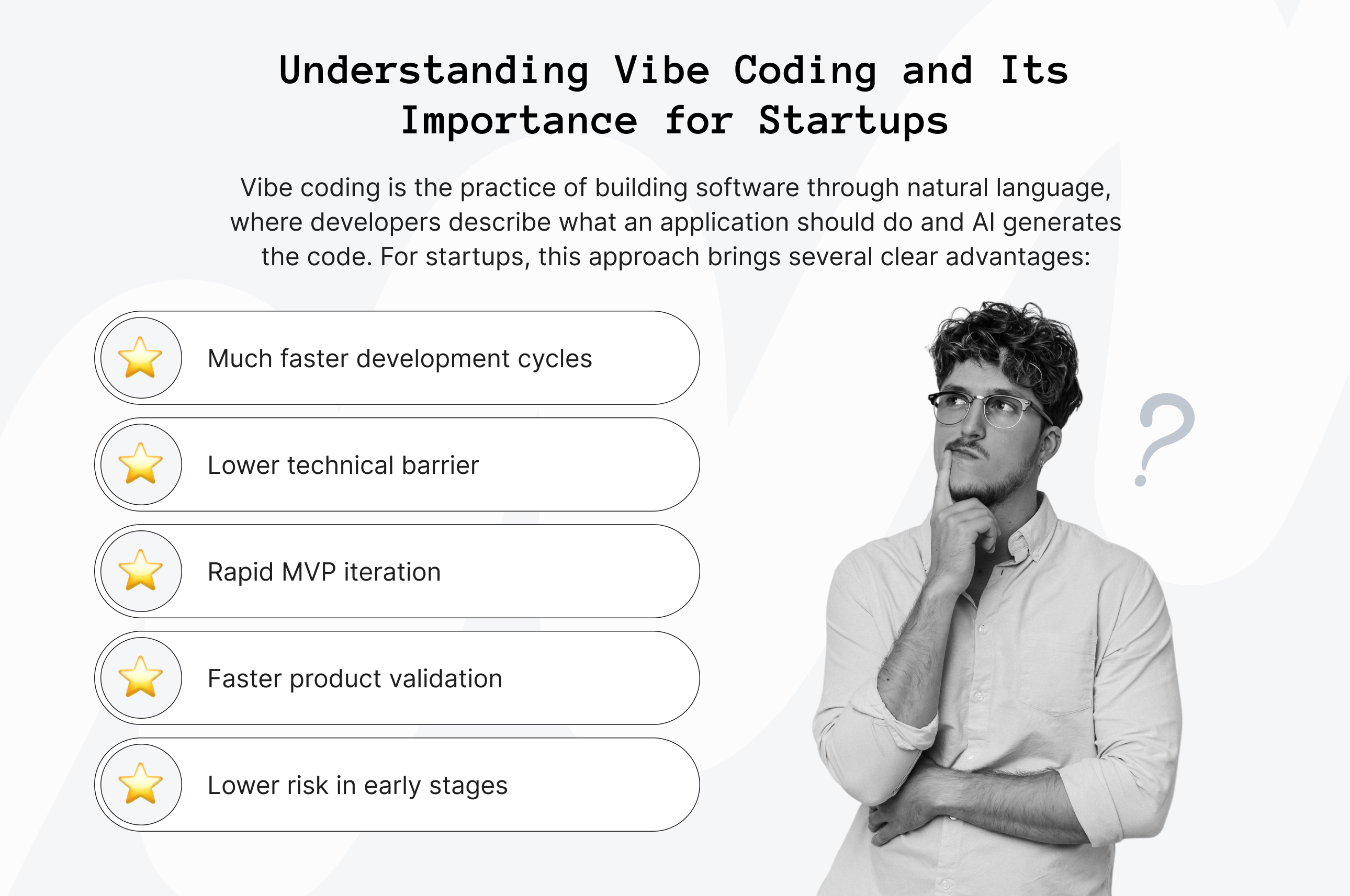
For startups, the implications are significant. The traditional product development cycle usually involves hiring engineers, writing detailed specifications, waiting for code reviews, and finally launching your MVP. With vibe coding, that timeline can shrink dramatically. A founder with a clear product vision but limited technical background can spin up a working prototype in a single afternoon, while a developer who would normally spend two days setting up a basic project structure can often do it within an hour.
What makes the best vibe coding tools compelling at the early stage is the alignment with how startups work. You're not building for permanence; you're building to learn. These tools are optimized for speed and iteration, which maps onto the MVP mindset. They let you test assumptions, collect user feedback, and make informed decisions about what to build next without betting your runway on a full engineering cycle.
That said, not all top vibe coding tools are created equal: there are no obvious underperformers or clear winners among them, but it’s important to understand the differences so you can choose the right tool for the specific challenge your startup is facing. Let’s take a closer look at these nuances together.


Best Vibe Coding Tools to Try in 2026
The tools below are some of the strongest options available right now for startups at different MVP stages and with different technical setups. For each one, we’ll look at what it does, where it shines, where it falls short, how much it costs, and most importantly, what it’s actually best for.
So, what are the best tools for vibe coding your MVP solution?
1. Cursor (Best Overall)
Cursor is an AI code editor built on top of VS Code, so it feels familiar right away for developers who already live in that environment. What makes it stand out is that it adds a strong AI layer on top of a real engineering workflow. It's not a no-code builder — it's a professional-grade IDE that uses AI to accelerate how experienced developers write, review, and refactor code. If you've already got engineering chops and want them amplified, Cursor is the most capable tool on this list.
Features
- Lets you chat with the editor in plain language and apply changes directly to the codebase.
- Understands the broader project context, not just the file you are currently viewing.
- Supports multi-file edits, which is especially useful when you need to refactor parts of an app without breaking everything else.
- Offers inline suggestions and autocomplete powered by advanced language models.
- Works with major languages and frameworks, and supports VS Code extensions.
Pros
- Feels like having a very strong coding partner available at all times.
- Its project-level context usually leads to more relevant suggestions than tools that only look at small snippets of code.
- Since it is built on VS Code, most in-house developers can start using it with very little friction.
Cons
- It is not a good fit for non-technical founders looking for a no-code solution.
- Costs can grow quickly if several people on the team need paid seats.
- It can still suggest the wrong approach on larger architectural decisions, so human review remains important.
Pricing
A free plan is available. The Pro plan starts at $16 per user per month, and the Business plan starts at $32 per user per month.
Best for
Cursor is a strong choice for technical founders and product teams that want to move faster without giving up solid engineering practices. If your startup already has developers, Cursor can be a serious productivity boost, especially when you are working on larger codebases where understanding the full context really matters.
2. Vercel v0 (Best for Frontend Development)
Vercel v0 is one of the leading generative AI tools for building UI, helping turn plain-language prompts and design ideas into frontend components. It works especially well with React, Tailwind CSS, and Next.js, so if your startup is building in that stack, it can save a lot of time. Think of it as a fast way to go from “I need a clean dashboard” to something your team can actually deploy.
Features
- Generates React components with Tailwind CSS styling from natural language descriptions.
- Deep integration with Vercel's deployment pipeline for one-click shipping.
- Lets you refine the UI through conversation instead of starting from scratch every time.
- Supports shadcn/ui component library out of the box.
- Next.js-native, meaning generated code slots cleanly into modern React projects.
Pros
- Very fast for turning UI ideas into working components.
- Produces polished output that usually needs less cleanup than many similar tools.
- Feels especially convenient if your team already uses Vercel.
Cons
- It is mainly focused on frontend work, so it is not the best choice if you need backend logic too.
- It makes the most sense for teams already building with Next.js and Vercel.
- It may feel too technical for founders without frontend experience.
Pricing
There is a free tier available. Paid plans start at $20 per month, with Team and Enterprise options also available.
Best for
v0 is best for React developers and frontend-focused teams who want to prototype and build UI at speed. It's a strong pick for SaaS products where the interface is the differentiator and the team already lives in the Vercel ecosystem.


3. Replit (Best for Rapid Prototyping)
Replit is a browser-based development environment that brings coding, collaboration, and deployment into one place. It is especially useful because its AI agent can take a plain-language idea and help turn it into a working app, without forcing you to set up a local environment or worry about deployment details at the start. For early-stage startups, that can make the difference between an idea staying in a notebook and something real being built in a day.
Features
- Replit Agent builds ready applications from natural language prompts, including backend and frontend.
- Everything runs in the browser, so there is no need to install software or configure a local dev environment.
- Built-in hosting and deployment with a shareable URL on every project.
- Real-time collaboration for teams working on the same codebase simultaneously.
- Supports 50+ programming languages and frameworks.
Pros
- It is one of the most complete all-in-one options on this list, since you can build, test, and share your app without leaving the browser.
- It is very approachable for beginners, so you can get to a working prototype quickly.
- The community and template library make it easier to start with something instead of starting from zero.
Cons
- Larger projects can feel slower than working in a local development setup.
- The free plan has limits that may become noticeable as the project grows.
- It is not the best fit for teams that need tight control over infrastructure and enterprise-level architecture.
Pricing
A free plan is available. The Core plan starts at $17 per month, and Team plans start at $95 per month.
Best for
Replit is the best vibe coding platform for beginners, solo founders, and early-stage teams who want to get a full-stack application running as quickly as possible without any infrastructure overhead. It's also a strong choice for rapid prototyping and hackathon-style builds. And if the platform isn’t what you are looking for, you can check out Replit alternatives to find the right fit.
4. Lovable (Best for Design-Driven Startups)
Lovable (formerly GPT Engineer) markets itself as an AI-powered product engineer, and the description is apt. It is a great fit for non-technical founders who want to build a polished web app by talking through their ideas instead of writing code. You describe what you want, ask for design changes, and watch the product come together in a way that feels much more tangible than a blank page.
Features
- Builds full-stack apps from natural language prompts.
- Connects natively with Supabase, which makes it easier to add databases and authentication without a complicated setup.
- Syncs with GitHub, so technical teams can pick up and improve the code later.
- Includes a visual editor alongside the AI chat, which makes design tweaks easier.
- Lets you deploy to a live URL with one click.
Pros
- Produces some of the most polished-looking outputs on the market, especially for founders who do not have a design team.
- The Supabase connection makes it practical for building apps with data and user accounts.
- GitHub export makes handoff easier if a developer joins later.
Cons
- It can struggle when the product logic becomes too custom or unusual.
- Costs can rise quickly if you use it heavily on a bigger project.
- It gives you less freedom than developer-first tools when you want to break away from its default assumptions.
Pricing
A free tier is available. The Starter plan starts at $21 per month, and the Business plan starts at $42 per month.
Best for
Lovable is best for non-technical founders building frontend-heavy consumer or SaaS products who want a polished result without a design team. If your priority is a compelling product that looks and feels professional, Lovable is one of the strongest options available.
5. Bolt (Best for Lightweight Development)
Bolt, one of the best vibe coding tools built by StackBlitz, is a browser-based AI coding environment that generates full-stack applications in-browser with no setup. Like Lovable, it's accessible to non-technical founders, but Bolt leans more toward developers who want the speed of a vibe coding tool without giving up visibility into the actual code.
Features
- Builds full-stack apps with frontend, backend, and database scaffolding.
- Runs entirely in the browser, so you can see changes right away.
- Connects with Supabase and GitHub for data and version control.
- Supports popular frameworks like React, Next.js, and Astro.
- Uses WebContainers technology, which lets the Node.js environment run directly in the browser.
Pros
- Very fast for turning an idea into a working prototype.
- More transparent than pure no-code tools because you can inspect and adjust the code.
- No server setup is needed, which makes it easy to start experimenting quickly.
Cons
- Can struggle with highly complex applications that require heavy server-side logic.
- Token limits on free tier restrict how far you can push a project before hitting a wall.
- Less polished in visual output compared to Lovable for design-heavy projects.
Pricing
There is a free tier available. The Pro plan starts at $18 per month.
Best for
Bolt is a strong choice for founders and developers who want a fast way to build a full-stack starting point without giving up code access. It sits somewhere between no-code and a full developer setup, which makes it especially useful for technical or semi-technical founders who care about both speed and flexibility.
Need a hand with your MVP?
Upsilon can help you plan and develop an MVP that'll grow to be a success!

6. Windsurf (Best for Larger, More Complex Projects)
Windsurf is Codeium’s AI-powered IDE, and it is built for developers working on more complex codebases. While some tools on this list are designed to be as simple as possible, Windsurf goes deeper. It offers sophisticated multi-file reasoning, team collaboration features, and an AI agent Cascade that can plan and execute longer development tasks with minimal hand-holding.
Features
- Cascade can handle multi-step tasks across files and folders with very little hand-holding.
- It indexes the codebase deeply, which helps it give more relevant suggestions in larger projects.
- Includes collaboration features that are useful for engineering teams.
- Supports MCP, which makes it easier to connect external tools and data sources.
- Works with major languages and frameworks.
Pros
- Best option on this list for teams managing larger, more complex codebases.
- Cascade's ability to execute multi-step tasks reduces the cognitive load on developers.
- Its architecture-aware approach tends to produce code that is easier to maintain over time.
Cons
- It is probably more than you need for a simple MVP or a very early startup.
- There is a learning curve, especially if you are used to simpler tools.
- Requires an existing technical foundation to get the most out of the agent's capabilities.
Pricing
A free plan is available. The Pro plan starts at $15 per month, and the Teams plan starts at $30 per user per month.
Best for
Windsurf is a strong fit for engineering teams that are past the prototype stage and need help moving through a growing codebase more efficiently. If your startup is already building something real, with multiple people contributing to the product, Windsurf can be a very useful productivity boost.
7. Claude (Best for Founders in Exploration Mode)
Claude is Anthropic's AI assistant, and its Artifacts feature allows it to generate, preview, and iterate on code directly within the conversation interface. It's not a dedicated IDE or deployment platform — it's a conversational coding partner that excels at rapid prototyping, generating self-contained components, and explaining what it's building as it goes.
Features
- Generates code and shows a live preview in the Artifacts panel.
- Lets you iterate conversationally, so you can ask for changes in simple language.
- Works well with React, HTML, CSS, JavaScript, Python, and more.
- Handles data visualizations, interactive components, and logic-heavy prototypes particularly well.
- No account configuration or environment setup is required.
Pros
- Lowest barrier to entry of any tool on this list — you can start building in seconds with nothing to install.
- Great for founders who want to explore an idea and see it take shape at the same time.
- Explains its thinking as it works, which can make the whole process feel less mysterious for non-technical founders.
Cons
- No built-in deployment, so you will need another platform to ship the final product.
- Not suited to multi-file projects or codebases that require persistent context across sessions.
- Better as a prototyping companion than a primary development environment.
Pricing
Claude is available on a free plan through Claude.ai. Claude Pro starts at $17 per month and gives you more usage plus access to more advanced models.
Best for
Claude with Artifacts is a strong choice for founders who are still exploring an idea and want to test UI concepts, build quick demos, or prototype logic before committing to a full build. It also works well as a first step before moving into a more structured development workflow.

8. Firebase Studio (Best for Google Ecosystem Startups)
Firebase Studio is Google’s AI-powered development environment for building and shipping apps with Firebase. It brings together backend services like Authentication, Firestore, Cloud Functions, Storage, and Hosting, so your team does not have to stitch everything together manually.
If your startup is already invested in the Google ecosystem, Firebase Studio removes significant integration friction.
Features
- Works natively with Firebase services like Firestore, Authentication, Cloud Functions, and Hosting.
- Can generate full-stack app foundations from natural language prompts.
- Runs on Google’s infrastructure, which gives it a strong scalability base.
- Supports both Android and web apps.
- Includes built-in debugging and testing tools.
Pros
- Best-in-class backend integration for Google ecosystem projects — no separate API setup required.
- Good scalability from the start, which matters if your product starts growing quickly.
- Reliable infrastructure can be a real plus for startups in regulated or trust-sensitive industries.
Cons
- Firebase pricing can escalate unexpectedly as usage grows, so it requires careful monitoring.
- It may feel less intuitive if you are not already used to Google Cloud products.
- The learning curve is steeper than with more beginner-friendly tools like Replit or Lovable.
Pricing
Firebase has a free Spark plan. After that, pricing moves to a pay-as-you-go Blaze plan. Firebase Studio workspace pricing may vary.
Best for
Firebase Studio is best for startups that need reliable and scalable backend infrastructure and are already building in or planning to build in the Google ecosystem. It's a strong choice for mobile-first products and data-intensive applications that expect significant user growth.
9. Hostinger Horizons (Best for Small Businesses)
Hostinger Horizons is Hostinger's AI-powered web application builder, and it takes a notably different approach from developer-focused tools on this list. The priority here is simplicity and accessibility — a non-technical entrepreneur should be able to describe their business idea and walk away with a deployed, functional web app and hosting configured automatically.
Features
- Builds apps from natural language prompts.
- Includes hosting and deployment through Hostinger.
- Does not require coding knowledge.
- Supports custom domain setup as part of the hosting package.
- Includes basic database support for simple data-driven apps.
- Lets you make simple changes to the design and functionality after the first version is generated.
Pros
- Easiest deployment experience on this list — hosting is bundled, no separate configuration needed.
- Friendly for beginners and non-technical founders.
- Good value for early-stage startups that want to keep costs low.
Cons
- Not ideal for more complex products or fast-scaling SaaS apps.
- Offers Less flexibility for technical founders who want to customize or extend beyond the platform's defaults.
- The ecosystem is smaller than established developer tools, with fewer integrations available.
Pricing
Hostinger Horizons is included with Hostinger hosting plans, which start at around $7 to $14 per month.
Best for
Hostinger Horizons is best for small business owners, service entrepreneurs, and early-stage founders who need a functional web presence or simple internal tool fast, without any engineering overhead. It's not the right pick for building a complex SaaS product, but for validating a simple service or landing page concept, it's one of the easiest paths from idea to live.
10. Base44 (Best for Backend Functionality)
Base44 is a relatively newer tool in the vibe coding space, and it stands out because it focuses on the part many founders struggle with most: the data, logic, and backend structure behind an app. Where many tools prioritize visual output, Base44 is built around the idea that the hard part of most business apps is the data model and logic, not the interface.
Features
- Generates complete web apps with database schemas defined from natural language.
- Lets you manage database structure without knowing SQL.
- Includes authentication and role based permissions from the start.
- Can generate APIs for connecting with outside tools and services.
- Keeps the interface simple and functional, with usability taking priority over visual polish.
Pros
- Strongest database and backend capability among the beginner-friendly tools on this list.
- Well suited for internal tools, CRMs, and operations dashboards with complex data relationships.
- Role-based access control is built in from the start, which is useful for multi-user business applications.
Cons
- The UI is more basic than what you would get from tools like Lovable or Bolt.
- The ecosystem is still smaller than more established platforms.
- There are fewer tutorials, examples, and community resources available.
Pricing
There is a free plan available, and paid plans start at $20 per month.
Best for
Base44 is best for founders building internal tools, operations software, or data-management applications where the logic and structure matter more than design. If you need a functional CRM, inventory tracker, or reporting dashboard built quickly without a developer, Base44 handles the heavy lifting that other no-code tools avoid.
Vibe Coding Tools Comparison Table
What are the best vibe coding tools? Each of the best vibe coding tools above solves a real problem but choosing between them comes down to three things: your skill level, what you're building, and what your startup budget can absorb right now. The table below gives you a side-by-side view to speed up that decision.
What this vibe coding tools comparison makes clear is that no single one dominates every category. The best vibe coding platform for a technical developer accelerating their workflow looks nothing like the best vibe coding app for a non-technical founder validating a business idea. The tools that try to serve everyone tend to serve no one particularly well, which is why being specific about your starting point matters.
How to Choose the Best Vibe Coding Tool for Your Startup
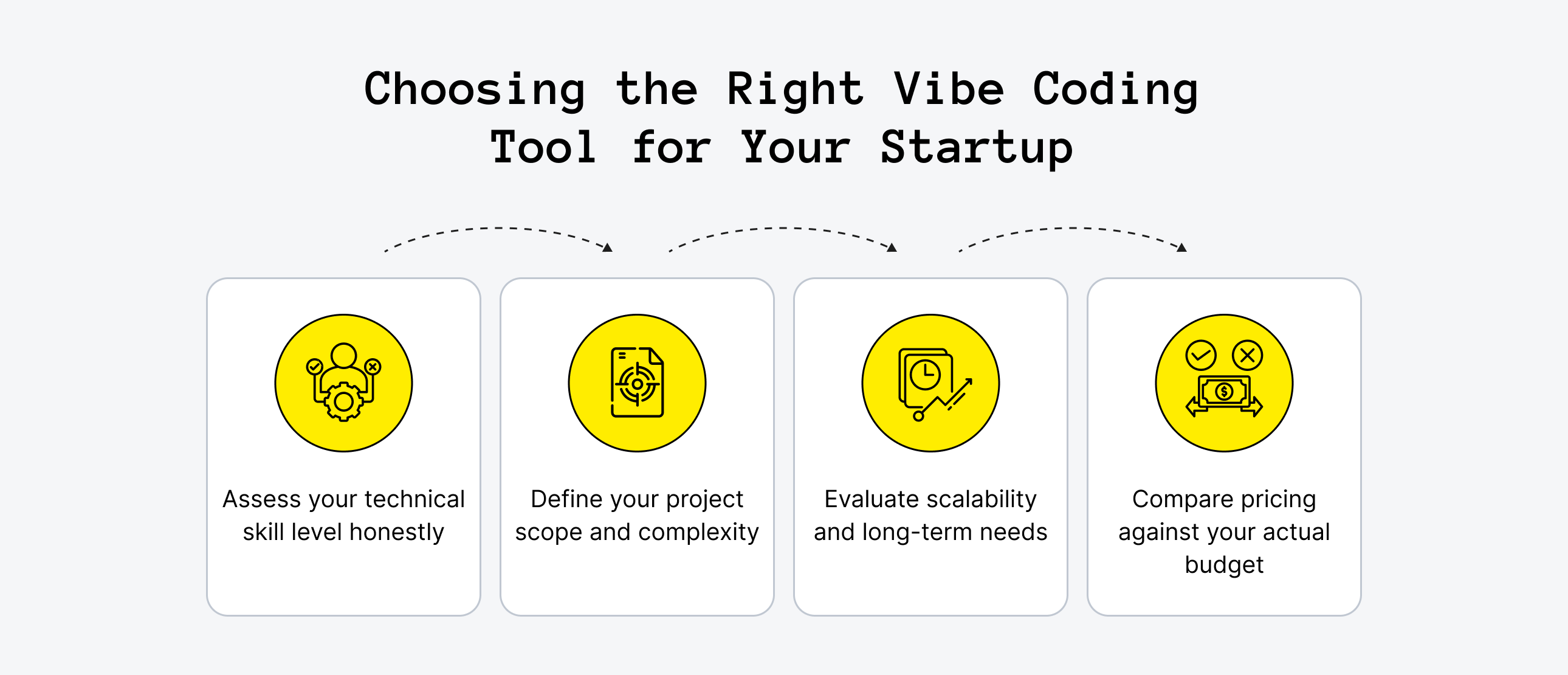
With ten top vibe coding tools on the table, choosing the right one can quickly feel overwhelming. A long list of options often creates more uncertainty than clarity, leaving founders unsure which platform will actually match their workflow and product goals.
This practical framework helps narrow the choice by focusing on what truly matters for startups: speed, flexibility, and the ability to ship real features without unnecessary complexity. It is written from the perspective of builders who need tools that accelerate progress rather than slow it down.
Assess Your Technical Skill Level Honestly
This is the first and most important step in choosing a tool. Your current skill level determines which platforms will help you move fastest. Experienced developers can take full advantage of powerful tools like Cursor and Windsurf, unlocking capabilities that speed up complex workflows. Non-technical founders, however, may find those same platforms frustrating and slow.
Start from where you are, not where you hope to be. Beginner-friendly tools like Replit, Lovable, and Bolt are not compromises and are the right choice for your context, enabling you to build, iterate, and learn without unnecessary friction.
Define Your Project Scope and Complexity
Not all projects are created equal. A simple landing page with a waitlist form is very different from a multi-tenant SaaS platform with role-based access and payment processing. Be clear about what your MVP scope is before choosing a tool.
For straightforward, narrowly scoped builds, platforms like Claude with Artifacts or Hostinger Horizons excel at getting the job done quickly. Projects that require complex data models, advanced backend logic, secure payment processing, subscription management, or scalable architecture are better suited for Base44, Firebase Studio, or a developer-led workflow using Cursor or Windsurf. Focusing on your actual requirements helps ensure you pick a tool that matches the project’s complexity.
Evaluate Scalability and Long-Term Needs
The tool that seems cheapest at the start may end up costing more as your project grows. Some platforms rely on proprietary infrastructure that becomes expensive or technically limiting as your user base expands. Early convenience can turn into long-term friction if you outgrow the platform or find that essential features require costly add-ons or workarounds.
For a vibe coder, understanding these limitations early can save time, money, and frustration down the line. Before committing, consider whether you can export your code, how pricing scales if usage increases tenfold, and whether the architecture the tool generates can be maintained or extended by a developer later.
Compare Pricing Against Your Actual Budget
Many top vibe coding tools offer free tiers that are genuinely useful for early idea validation, but the real question is not which tool is cheapest. The more important consideration is the cost of the platform relative to the cost of not shipping quickly. A small monthly investment can often save far more time and effort in the long run.
For example, a $50 per month tool that cuts your time to an MVP in half is usually a better investment than a free option that takes twice as long to produce a working product prototype. Prioritizing value and speed over upfront cost helps founders make smarter decisions and keeps product development moving efficiently.
When Vibe Coding Isn't Enough
These top vibe coding tools have changed what's possible for early-stage founders.Going from an idea to a working prototype in just a few hours, without a full engineering team, is truly transformative for testing assumptions and reaching users quickly. However, there are limits, and many founders encounter them sooner than they anticipate. Even the best tools cannot replace thoughtful architecture, complex workflows, or scaling considerations, which makes understanding the platform’s capabilities crucial from the start.
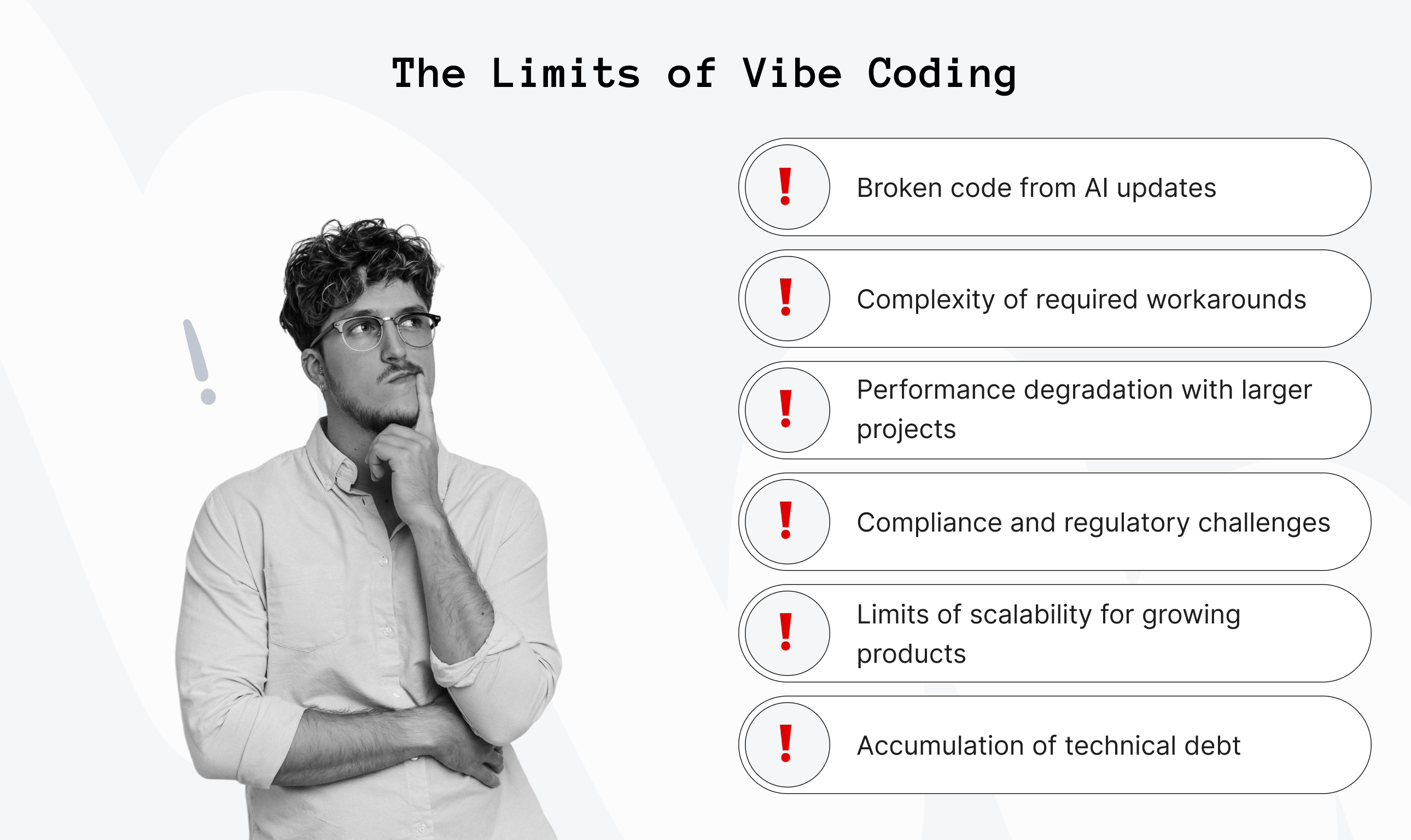
The first signs tend to be the same across products:
- The AI starts generating code that breaks things it fixed last session.
- Adding a new feature requires workarounds that make the codebase harder to reason about.
- Performance degrades as the data model grows.
- Compliance requirements emerge that the platform wasn't designed to handle.
- What started as a lean prototype begins to accumulate technical debt at a rate that outpaces what the tool can manage.
These are not necessarily flaws in vibe coding. They are a consequence of what these tools are designed to do well: accelerate early experimentation and validation. When an MVP needs to evolve into a production-ready product, the assumptions embedded in an AI-generated codebase can become practical limitations.
At that stage, many founders bring in experienced engineers to build on what the prototype has already validated: market signals, user feedback, and the core feature set. The focus shifts from proving that an idea has potential to building a product that can support startup growth. AI tools can accelerate discovery, while experienced engineers provide the technical foundation needed for the next phase.
Once the product is ready to reach a wider audience, growth efforts may also include content, distribution, and AI SEO packages that help the product become easier for potential users to discover.
Upsilon works with founders who have a vibe-coded prototype and a clearer understanding of what users need. Its vibe coding software development service supports the transition from early AI-assisted experimentation to a scalable product, while preserving the useful momentum of the initial build. If your prototype is beginning to show these limits, an early technical review can help clarify the most practical next steps.
Want a quality MVP right on your first try?
Upsilon's expert team can help plan, build, and scale your product!
Best Vibe Coding Tool Is the One You Ship With
The tools on this list have collectively removed more barriers to building than anything that came before them. Whether you're a developer who wants a smarter coding environment or a founder who's never written a line of code, there's a legitimate path from idea to working product that didn't exist two years ago.
Pick the best tools for vibe coding that match where you are right now. Validate fast, gather real feedback, and treat your first build as a learning experiment rather than a finished product. That's the whole point.
At the same time, it’s worth recognizing that vibe coding isn’t always smooth in the beginning. Early experiments can be messy, and having experienced engineers involved at the right moment can make a huge difference. That’s why teams like Upsilon work closely with founders.
If you’re exploring your next step, combining the speed of vibe coding with the right expertise can be what gets you all the way to launch. Feel free to reach out to us and let’s bring your ideas to life.
FAQs
1. What is the best tool for vibe coding?

There's no single answer. It depends on your skill level and what you're building. Among the top no-code development tools with vibe coding, Cursor is the best overall for developers. Lovable and Bolt lead for non-technical founders building polished frontend products. Replit is the strongest all-in-one environment for beginners who want to build and ship in one place. Start by identifying your technical level and project scope, then work backward from there.
2. Are vibe coding platforms secure?
Security varies significantly by platform. Established tools like Replit, Firebase Studio, and Cursor follow standard industry security practices, including data encryption and SOC2 compliance. However, AI-generated code should always be reviewed for vulnerabilities before going to production, particularly around authentication, data handling, and API exposure.
For products in regulated industries like healthtech or fintech, treat vibe-coded output as a starting point, not a finished product.
3. Can I export and own the code from vibe coding platforms?
Most platforms on this list allow code export, but the specifics matter. Cursor, Windsurf, and Bolt give you full access to the generated code by design. Lovable and Replit offer GitHub integration for code export. Some platforms, particularly those with proprietary hosting bundled, may have more restrictive terms.
Always review the platform's terms of service before committing to a build, especially if you plan to hand code off to a development team later.
4. Can vibe coding tools build production-ready applications?
They can produce a strong foundation, but production-ready requires more than working code. AI-generated applications often lack optimized performance, comprehensive error handling, security hardening, and the architectural decisions that support scale.
For low-traffic internal tools or simple consumer apps, vibe-coded output can get close to production quality. For anything handling significant user data, payment processing, or high traffic, treat it as a validated prototype that needs professional engineering before full launch.
5. Do you need coding experience to use vibe coding tools?
No and that's the point. The best vibe coding tools, like Lovable, Bolt, Replit, Base44, and Hostinger Horizons, are explicitly designed for non-technical founders who can describe what they want in plain language. That said, some technical literacy helps significantly when debugging, extending, or handing off generated code. Cursor and Windsurf are the exceptions because they assume a professional development background and won't be intuitive for complete beginners.
6. What should you do when your startup outgrows a vibe coding tool?
The clearest signal is when adding new features starts breaking existing ones, or when performance, security, or compliance requirements emerge that the platform can't address.
At that point, the right move is to treat your vibe-coded product as a validated prototype (not a technical foundation) and bring in experienced engineers to architect something built for scale. Many founders who've done this find that having a working prototype dramatically accelerates the engineering engagement, because the product decisions are already made.



to top