AI Frameworks and LLM Libraries in 2026: A Complete Guide

AI frameworks can make product development faster, but choosing the wrong one can create more work than it saves. The right tools depend on what you are building, how your data is structured, and how much control your team needs. This guide explains the main choices and helps you build a stack that supports your product instead of slowing it down.
AI used to feel like an extra feature: connect an API, add a chatbot, and see how users respond. Now, founders are building solutions where AI needs to search company data, call tools, follow multi-step workflows, and give answers people can actually trust. That is where the technical decisions start to matter.
The shift is already clear across the industry. Around 84–85% of developers now use AI tools as part of their work, while the global LLM market is expected to grow from $7.81 billion in 2025 to almost $130 billion by 2034. AI is moving from a nice-to-have feature to a core part of how software is built and how digital products compete.
LLM frameworks can help teams avoid rebuilding the same infrastructure every time they add an AI feature. They give developers practical ways to connect models, data sources, APIs, evaluation tools, and deployment infrastructure. In this guide, we will look at the most useful AI frameworks and LLM libraries, what each one does best, and when a custom-built solution may be the smarter move.
Key Takeaways
- AI frameworks and LLM libraries solve different problems. Frameworks help connect models, data, tools, and workflows, while libraries give developers more control over training, fine-tuning, and serving models.
- Keep the first version simple. For one focused AI feature, calling a model API directly may be enough. Add a framework when you need retrieval, several coordinated model calls, tool use, or agent behavior.
- Do not overlook evaluation and production infrastructure. Reliable AI products need more than a model. Plan for testing, monitoring, retries, access control, data pipelines, and deployment from the start.
- Open source doesn’t mean free to run. Even with a free framework, you still pay for model tokens, cloud hosting, databases, GPUs, vector storage, observability, and engineering maintenance.
- Custom development is not an all-or-nothing decision. Use existing tools to move quickly, then replace only the parts that limit performance, reliability, compliance, or product differentiation.
- Choose a stack your team can maintain. The best option is not the tool with the most features. It’s the one that helps your team build, test, monitor, and improve the product without adding unnecessary complexity.
What Is an AI Framework?
Some people confuse the terms LLM and AI, using them interchangeably, but that’s not right. An LLM framework gives developers ready-made tools for working with large language models. It helps connect a model to company data, combine several AI steps into one workflow, and build features like search, chatbots, or AI agents without creating all the underlying logic from scratch.
An AI framework is a broader term. It’s a powerful toolkit that gives a structured environment to create and manage general artificial intelligence models. Just imagine, if you had to build everything yourself: designing the infrastructure, figuring out the algorithms, and managing endless lines of code, it’d take forever, and you’d probably burn out by the time you got something functional.
AI frameworks help you avoid all these consequences. Here are a few of the best types:
- Deep learning frameworks train large models, run sophisticated computations, and optimize performance to deliver top-tier results.
- Reinforcement learning frameworks make your AI model improve over time by rewarding it for successful actions and guiding it toward better decisions.
- Computer vision frameworks give the tools to analyze images, detect objects, or recognize faces. For products built around visual discovery, an AI image search feature can let users upload a photo to find similar images, identify duplicates, or run face-based searches across indexed visual data.
In general, you'd like to use an AI framework for several reasons:
- They speed up development. AI frameworks come packed with pre-built modules and functionalities, so developers can bypass months of manual coding and dive right into the creative process. Instead of building things from scratch, you plug in the parts you need and focus on creating something groundbreaking.
- They optimize performance. An AI framework handles huge computational tasks without crashing or slowing down.
- They make AI accessible. You don’t need to be an AI expert to create smart applications. These frameworks are user-friendly and allow even juniors to harness the power of artificial intelligence without complicated math or machine learning theory.
How do gen AI frameworks differ from libraries? The difference between frameworks and libraries is a little smudged since both offer tons of helpful features. Frameworks usually give you a more organized, structured, and “built-in” way to create an app, kind of like a blueprint. On the other hand, libraries are like toolboxes full of ready-to-use pieces of reusable code that you can pick up when you need them for specific tasks.
Now, let’s compare some of the most popular AI frameworks and libraries and see what makes each one useful.


Top AI Frameworks and LLM Libraries in 2026 at a Glance
The AI stack is no longer just about choosing a model provider. You may need one tool to connect an LLM to your data, another for AI agent testing and validation, and a separate library to run or evaluate models in production. Here is a quick breakdown of the options worth knowing before we look at each one in more detail.
You won't need all of these tools in one product. A document assistant may combine LlamaIndex with DeepEval, while an agent that checks orders and updates a CRM might use LangChain with LangGraph. A team that moves from model APIs to self-hosted open models could add Hugging Face Transformers and vLLM later, once traffic or data requirements justify the extra infrastructure. Let’s explore each tool in more detail.
Need a hand with generative AI development?
Upsilon is a reliable tech partner with a big and versatile team that can give you a hand with creating an AI solution.

The 3 Core LLM Frameworks
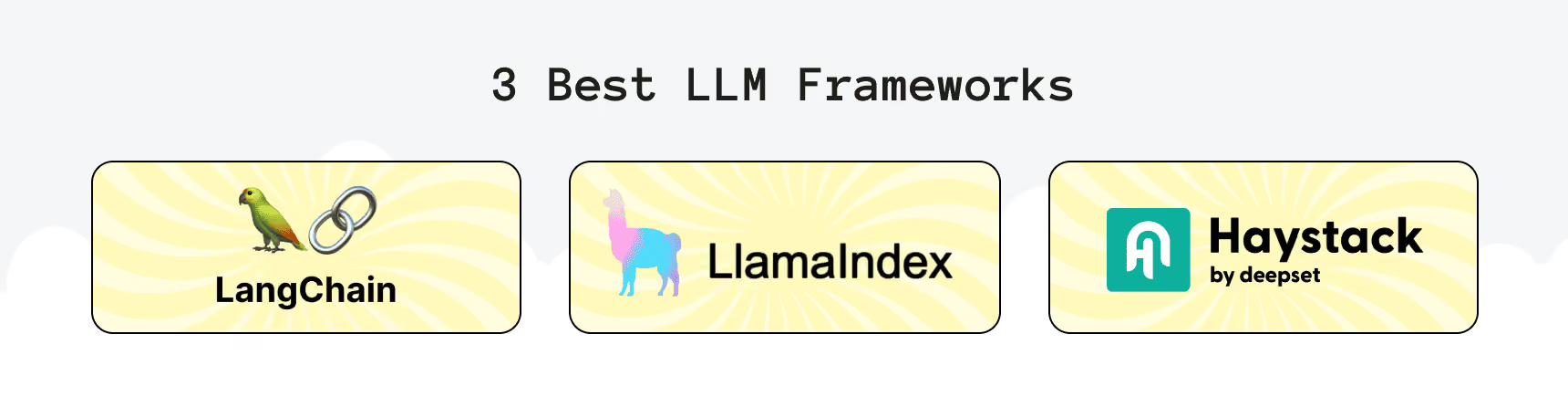
Not all frameworks are the same: some focus on flexibility, and others specialize in search, chatbot applications, or information retrieval. We'll break down three of the biggest players often listed among the top LLM frameworks: LangChain, LlamaIndex, and Haystack.
LangChain
LangChain is a flexible framework for assembling LLM applications from reusable building blocks. It provides components for models, prompts, tools, retrievers, vector stores, and agents, making it useful when an AI feature needs to work with external systems rather than simply generate text.
The framework went through several major, breaking releases: 0.1, 0.2, 0.3, and then the 1.0 release in October 2025. The 0.2 update separated the framework’s core from provider-specific integrations, 0.3 continued the migration away from legacy imports and chains, and 1.0 redesigned the high-level developer experience around agents.
One of the biggest changes is the role of LangGraph, the lower-level orchestration layer. LangChain helps developers create AI agents quickly, while LangGraph manages how those agents run behind the scenes. It gives teams more control over task steps, saved progress, retries after errors, branching logic, and cases where a person needs to review or approve an action.
Another important update is that the old community package is no longer supported. Instead, developers should use LangChain’s main package together with separate integrations for the AI providers and services they use, such as OpenAI, Anthropic, or Elasticsearch.
Why Use It
LangChain works well when you need to connect an LLM to APIs, databases, web search, internal tools, or a vector store. It is a practical option for teams building AI assistants, workflow automation, customer-support features, and RAG-based applications.
When It's Most Useful
A great real-world example of Langchain in action is customer service chatbots. Companies build AI assistants that are multi-functional with LangChain, so they answer customer queries and access external APIs to check product availability and order status and even book appointments for the customer.
Key Features:
- chains multiple LLM calls together;
- integrates with vector databases effectively compared to various Langchain competitors;
- supports tools like OpenAI, Hugging Face, and Pinecone.
LlamaIndex
LlamaIndex is the friendly middleman that helps your LLMs talk to all the different types of data on the web and outside. Whether it's structured data from SQL databases or unstructured data like PDFs and APIs, LlamaIndex is there to help LLMs make sense of it all.
Why Use It
If your AI application needs to pull insights from many sources of data, LlamaIndex is what you need. It connects the dots between your AI models and the complex data systems you're working with.
When It's Most Useful
LlamaIndex is a strong fit for projects that involve AI data preparation, indexing, querying, and extracting insights from business data or large document collections. It bridges the gap between raw information and an LLM’s understanding by loading, transforming, and indexing data before it is retrieved for a query.
One popular use case for LlamaIndex is in financial services. Financial institutions often look to pull valuable insights from everywhere like PDFs of financial reports, structured data from SQL databases, and even live stock market APIs. LlamaIndex is one of the best LLM frameworks that lets companies organize and query this data in a way that can go to an AI model to generate financial forecasts or customer insights.
Key Features:
- organizes and queries both structured data (SQL databases) and unstructured data (PDFs, APIs);
- extracts insights from a wide range of data sources;
- helps LLMs understand and process diverse data types in a unified way;
- can work well for retrieving documents and augmenting knowledge;
- scales well for industries like finance, where you need to analyze both structured and unstructured business data;
- works well with vector databases like FAISS and ChromaDB;
- integrates with LangChain.
Haystack
Haystack is among the best AI frameworks used for LLM search and retrieval. It makes finding and pulling up specific pieces of information from vast amounts of data much faster. Haystack often powers search engines and Q&A systems.
Why Use It
If your AI application needs to sift through large amounts of text data and deliver quick, relevant answers, Haystack has the tools for you. It excels at building systems that search, retrieve, and summarize information on demand, such as making an AI-based semantic search app.
When It's Most Useful
One of the most impressive real-world uses of Haystack is in legal research. For example, a law firm can use Haystack to develop a search engine that scans thousands of legal documents, case studies, and court rulings to allocate the most relevant information for a particular case. With this system, legal teams can find the right documents and summarize key points at the same time, saving hours of manual research.
Key Features:
- fast querying over large data sets;
- dynamic indexing and querying;
- supports full-text and geospatial queries;
- handles millions of documents efficiently.
LangChain vs. LlamaIndex vs. Haystack
LangChain, LlamaIndex, and Haystack can all help you build LLM-powered products, but they start from different places. LangChain is usually about connecting an LLM to tools and services, LlamaIndex focuses on making your data useful for an LLM, and Haystack is a good fit when search and retrieval are at the heart of the product. Let’s take a closer look at where each framework works best.
A large community doesn’t guarantee that a framework is the best choice, but it usually means more documentation, examples, integrations, and people who can help when something goes wrong. LangChain has the biggest community by far, with more than 146k GitHub stars, more than LlamaIndex and Haystack combined. All three are available under open-source licenses, so the license cost is not the main factor. What matters more is whether the framework fits your product and whether its ecosystem gives your team the support it needs.
Now that the core LLM frameworks are clear, let’s move on to AI agent frameworks and see how they help developers build more complex, action-oriented AI workflows.
AI Agent Frameworks: The Category That Changed the Field
AI agents are different from regular chatbots. Instead of answering one question and stopping, they can complete several steps in a row: search for information, use an API, check the result, ask for approval, and move on to the next task.
Above-mentioned LangChain and LangGraph are examples of AI agent frameworks. LangChain helps developers build agents quickly, while LangGraph runs the workflow behind the scenes. It keeps track of the agent’s progress, so if a task takes a long time or the system restarts, the agent can continue from where it stopped instead of starting over.
CrewAI is another framework worth considering, especially for multi-agent workflows. It lets you assign separate roles to several AI agents; for example, one can research a topic, another can summarize the findings, and a third can check the facts. This approach can work better than asking one model to handle every part of a complex task.
Agent frameworks don’t replace LangChain, LlamaIndex, or Haystack. They add another layer when your AI-powered SaaS needs to take actions and follow a workflow, not just generate a single response. Most MVPs do not need this level of complexity at the start, but agent frameworks become useful when a product must complete repeatable, multi-step tasks across tools, data sources, and approval points. The practical threshold is simple: introduce them when a single prompt and response can no longer manage the workflow reliably, and when the added orchestration solves a clear user or business problem rather than adding complexity for its own sake.
5 LLM Libraries Worth Knowing
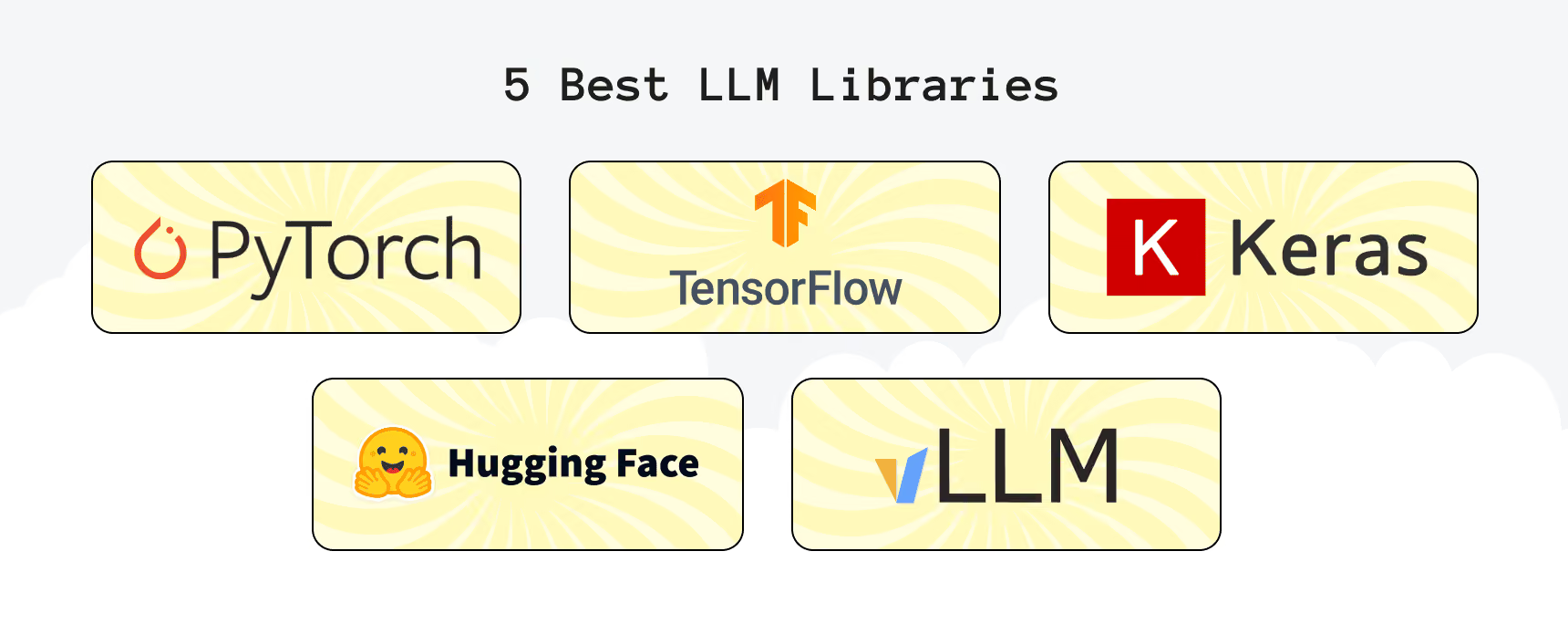
Now that we've covered LLM frameworks, let's talk about libraries. While popular AI frameworks used in large language models help structure your AI project, LLM libraries provide all the building blocks. They're used to train, fine-tune, and deploy AI models. Here are five essential libraries and how they fit into the AI development process.
PyTorch
PyTorch is one of the most popular AI libraries for deep learning. It's an open-source machine learning framework for easy building and training deep neural networks. In essence, it's one of the fundamental pillars that are used for developing LLMs like BERT and GPT.
Why Use It
PyTorch stands out because it's developer-friendly, highly flexible, and suitable for research and production applications. It lets you build complex models and is appreciated for its dynamic computational graph. When working with LLMs, this means that custom architectures and fine-tuning on specific datasets will be likely required.
When It's Most Useful
PyTorch is perfect for teams looking for a powerful deep-learning library and community support. Moreover, it is applicable when fine-tuning pre-trained LLMs like OpenAI's GPT or Meta's LLaMA on domain-specific tasks like summarizing legal documents, generating text, analyzing sentiment, building AI chatbots, or machine translation.
It's also popular for developing and training deep learning models behind autonomous vehicles. These models process massive amounts of visual and sensor data in real-time to make decisions like detecting pedestrians, recognizing road signs, and avoiding obstacles. Additionally, researchers apply PyTorch for tokenizing text data, training transformer-based architecture, and optimizing models for high-performance inference.
Key Features:
- flexible and on-the-fly graph building;
- dynamic debugging during model training;
- extensive support for neural networks;
- leveraging GPUs and TPUs for efficient LLM training;
- optimized for parallel processing.
Hugging Face Transformers
Hugging Face Transformers gives pre-trained AI models and tools for natural language processing (NLP). The Transformers library, a part of Hugging Face, is particularly powerful with a vast collection of pre-trained models ready for fine-tuning and deployment. Hugging Face Transformers also simplifies the process of integrating and using LLMs, including GPT and BERT for creating various solutions including chatbots and content generation apps.
Why Use It
You can take advantage of the state-of-the-art models for many tasks like text generation, artificial intelligence translation, and sentiment analysis right out of the box. This visibly cuts down the necessary time and effort for training the models from scratch when it comes to tasks like creating personalized customer interactions.
When It's Most Useful
Hugging Face Transformers is perfect for teams that want to train custom LLMs and deploy AI solutions quickly with minimal effort. Its tools answer customer queries, give recommendations, and even resolve issues through automated conversations. It's applicable for niche apps too, say, for fine-tuning existing models on specific datasets for cases like medical report summarization.
Key Features:
- Hugging Face Hub lists more than 3 million public models;
- is compatible with TensorFlow, PyTorch, and JAX, simplifying integration;
- Hugging Face Hub provides easy model sharing with users, including fine-tuned LLMs.
TensorFlow
TensorFlow is a robust and highly scalable open-source AI library developed by Google. It's best for building and deploying large-scale deep learning models, capable of handling complex neural networks and large datasets. It's a good choice for those looking for scalable LLM solutions, including those dealing with translation, content creation, and chatbots.
Why Use It
TensorFlow is a go-to choice for training deep learning models, running inference, or deploying machine learning solutions in production environments. It's flexible, supports a variety of hardware accelerators, and integrates well with cloud computing platforms.
When It's Most Useful
TensorFlow is ideal for teams working on high-performance, large-scale AI applications that handle massive datasets, train complex models, and achieve high throughput. If you're building models for real-time applications or scaling up machine learning pipelines in industries like healthcare, finance, or e-commerce, TensorFlow should be a key player in your toolkit. It's a particularly useful library for apps that require rapid inference times, which could be the case for virtual assistants that need to process user queries and generate real-time responses.
Key Features:
- supports end-to-end machine learning workflows;
- helps optimize the entire LLM pipeline's performance;
- works on CPUs, GPUs, and mobile devices, making integration simpler in various environments;
- simplified high-level API for neural networks, aiding faster prototyping and LLM architecture iteration.
Keras
Keras is an open-source deep learning API written in Python. It gives developers a simple, high-level way to build, train, test, and deploy neural networks without working directly with every low-level part of a machine learning framework. Unlike earlier versions, Keras 3 can run on TensorFlow, JAX, or PyTorch, so teams can use one API while choosing the backend that best fits their infrastructure.
Why Use It
Keras is a good choice when your team wants to prototype and iterate on deep-learning models quickly. Its clear API handles common tasks such as defining layers, training models, tracking metrics, and saving results, while still allowing developers to add custom logic when needed. Keras 3 also helps reduce lock-in: a compatible model can be used with PyTorch tools, exported as a TensorFlow SavedModel, or used as a JAX function.
When It's Most Useful
Keras is best suited for beginners, researchers, or teams that want to prototype and experiment with deep learning models without getting bogged down by low-level technical complexity. It's also great if you need to build and test models before moving on to more complex implementations. It can be handy if you're fine-tuning pre-trained models on certain datasets that speed up the creation of various apps like content generation, virtual assistants, chatbots, or summarization tools.
Key Features:
- has a user-friendly design that makes it easy for developers to use and extend the library;
- Good for experimenting with different LLM architectures and configurations;
- works with TensorFlow backend;
- access to many pre-trained models.
vLLM
vLLM is a library that optimizes how LLMs handle data, improving performance without using up too much memory. This can be a valuable tool if you're working with large-scale AI models which often require substantial memory resources. This library may conserve system resources and boost the interference efficiency and serving processes.
Why Use It
It's great for handling larger models without your system slowing down and LLM inference with high throughput. If you're working with big AI models, vLLM will make them run with maximum resources saved.
It is also capable of optimizing memory usage, which helps LLMs operate better even when there are heavy loads. This can be highly beneficial for apps where latency can hinder the user experience such as solutions requiring quick, real-time processing.
When It's Most Useful
vLLM is perfect for scaling LLMs in production environments where speed is the top priority. For example, if you're running a service that gives real-time AI responses or manages large-scale data processing, vLLM will make your models perform at their best without crashing or lagging. Likewise, it can simultaneously handle multiple requests without making performance worse. This can be a good solution for tools like automated customer support, where quick response times are crucial.
Key Features:
- uses an innovative memory allocation algorithm, PagedAttention, for optimized GPU memory usage, it can efficiently manage attention keys and values efficiently, which brings memory fragmentation to the minimum and throughput to the maximum;
- can serve LLMs like LLaMA, Falcon, and Mistral effectively and without worries about performance bottlenecks;
- supports OpenAI-compatible APIs for easy integration;
- 200+ supported model architectures and 2,000+ contributors.
Now, let’s compare the main LLM libraries side by side. They all support AI app development, but they serve different purposes: some help train and fine-tune models, others make it easier to experiment, and vLLM focuses on running large open-source models efficiently in production.
There is no need to choose only one library forever. Many teams use Hugging Face Transformers to find and adapt a model, PyTorch or Keras to train it, and vLLM to serve it once the product reaches production. The right combination depends on whether your priority is fast experimentation, custom model work, or reliable performance under real user traffic.

How to Choose the Right AI Framework or LLM Library
Choosing an AI tool can feel overwhelming at first. There are plenty of options, and each one promises faster development, better performance, or more control. The good news is that you don’t need the biggest or most popular stack, you need the one that solves your product’s actual problem without making life harder for your team.
How to Choose Among Generative AI Frameworks
Start with a simple question: what should AI do in your product? If it needs to answer questions based on your company documents, look at RAG-focused tools such as LlamaIndex or Haystack. If it needs to check data in other systems, call APIs, or complete a task in several steps, LangChain or LangGraph may be a better fit.
A few practical points can make the choice easier:
- Think about the main use case. LlamaIndex is useful when your data is the key part of the product. Haystack makes sense for search-heavy products. LangChain and LangGraph are better suited to AI assistants that need to use tools and take actions.
- Do not ignore your data setup. Make sure the framework can work with your documents, databases, APIs, vector store, and access rules.
- Be honest about complexity. A simple assistant does not need a complex agent workflow. But if the AI needs to follow clear steps, retry after an error, or wait for human approval, you will need more control.
- Consider the next six months. If you know the feature will grow, choosing a framework with solid integrations can save time later.
- Pick something your team can maintain. A powerful tool is not very helpful if nobody wants to debug it on a Friday evening.
How to Choose an LLM Library
An LLM library matters when you need to work closer to the model itself. This usually happens when you plan to fine-tune an open-source model, host it on your own infrastructure, or improve its speed and cost at scale.
For example, PyTorch is a solid option for custom deep-learning work, Hugging Face Transformers helps teams use and fine-tune open models, and vLLM is useful for serving models efficiently in production. Keras can be a comfortable starting point for prototyping neural networks without diving straight into low-level code.
Keep these questions in mind:
- Are you using a hosted model or running your own? If you are calling OpenAI, Anthropic, or Google through an API, you may not need an LLM library at all.
- Do you really need training or fine-tuning? If prompts and RAG solve the problem, training a model may be unnecessary work.
- Will performance become critical? For high-traffic products, test response time, GPU memory use, batching, and concurrent requests before you commit.
- Does it fit your infrastructure? Check GPU availability, cloud setup, deployment process, and operational costs early.
- What does your team already know? It is often better to use a tool your developers understand than adopt a more advanced one that slows everyone down.
Do You Even Need a Framework, or Can You Just Call the API?
Sometimes, the best first version is just a direct API call. If your feature takes one user request, sends it to a model, and returns one answer, adding a framework can be unnecessary. You will ship faster, have fewer dependencies, and understand exactly what your code is doing.
The need for a framework often becomes obvious around the second week of building. That is when the simple product prototype starts growing: users want streaming responses, conversation history, document search, tool calls, structured outputs, error handling, logs, evaluations, and a fallback model. Suddenly, you are building the same supporting infrastructure again and again.
That is the point where a framework starts paying for itself. Until then, keep it simple. Start with the API, learn what your users actually need, and add a framework only when repeated problems show that your product has outgrown a basic integration.
What AI Frameworks Actually Cost
Most AI frameworks are free to download, but that doesn’t mean your AI feature is free to run. The license may cost nothing, yet you still pay for model tokens, cloud infrastructure, databases, monitoring, document processing, and the engineering time needed to keep everything working. The table below gives a realistic starting point: prices can change, and usage-based costs grow with traffic.
The key point is simple: an open-source license removes a software subscription, not the operating costs behind a production AI product. Self-hosting may reduce provider token spend at high and predictable volume, creating potential AI cost savings, but it replaces that bill with GPU capacity, deployment work, model upgrades, security, and backend maintenance. Managed services reduce this operational work, but their monthly seats, credits, trace storage, and compute usage can add up as the product grows. For example, LangSmith’s $39-per-seat Plus plan includes 10,000 base traces per month, while deployments and additional usage are billed separately
Also plan for the cost of changing your mind. Models and vector-store data can often move between tools, but framework-specific workflow code, agent state handling, error logic, and evaluations usually cannot. For a production application, set aside roughly 2 to 4 engineering weeks to migrate from one framework to another, then include regression testing and monitoring work before switching traffic.

When to Build Custom Instead of Using an Off-the-Shelf AI Framework
Most AI products should start with an existing framework. Building everything yourself makes sense only when a real constraint, such as strict latency targets, growing inference costs, data residency rules, or a unique workflow, makes the framework more of a burden than a shortcut. This also doesn’t have to be an either-or choice. Many production AI systems keep a framework for the parts that work well and replace only the layer that becomes a bottleneck.
When Off-the-Shelf Is Enough
An existing framework is usually the right choice when:
- You are validating demand and need to launch in weeks, not quarters;
- Your product follows a familiar pattern, such as semantic search, a chatbot, an AI assistant, or a multi-step agent;
- Your team is small and does not have the capacity to maintain custom orchestration code;
- The framework already supports your data sources and chosen foundation model;
- A response time of a few seconds is acceptable, and your traffic is not yet high enough for framework overhead to noticeably affect costs.
At this stage, speed matters more than perfect architecture. A proven framework lets you learn what users actually need before investing in custom infrastructure.
When Custom Development Pays Off
Custom development becomes worth considering when the framework starts getting in the way. For example, if your developers regularly need to read framework source code to understand why an agent retried a task or produced an unexpected result, the abstraction is no longer saving time.
You may also need custom components when:
- Performance requirements demand direct control over batching, caching, streaming, or request routing;
- Compliance rules require on-premises, air-gapped, or region-specific inference;
- Your orchestration logic is a core product differentiator, rather than supporting infrastructure;
- Frequent breaking releases, unstable APIs, or abandoned dependencies become a risk for the business.
The goal is not to replace every framework component. It’s to take control of the parts that directly affect product quality, reliability, cost, or compliance.
A Practical Middle Ground
Neudesk.ai, a US startup founded by creatives who had worked on projects for Apple, Meta, and Adidas, wanted to replace manual proposal writing with one workflow, from the first pitch to a signed contract. Upsilon used LangChain to prototype the AI workflows quickly. Once the team identified the features that created the most value, proposal generation and pricing recommendations, we moved those parts to a model fine-tuned on the client’s proprietary data.
We delivered Neudesk.ai’s MVP in 22 weeks, on time and within budget. The platform brings proposal creation, editing, client feedback, approvals, and contract signing into one workspace, helping freelancers and small teams avoid scattered tools and repetitive manual work. Its AI copilot can generate, personalize, edit, and price proposals in seconds while keeping content consistent with the user’s brand and goals. The MVP gave Neudesk a working product ready for broader market testing, investment conversations, and further scaling.
Seeking help with building your product?
Upsilon can help you select the optimal tech stack and bring your AI ideas to life!
The Verdict: So, What’s the Best AI Framework and LLM Library?
So, there is no universal winner. When picking AI development frameworks, start with the product problem, not a framework’s GitHub stars. Choose LlamaIndex when reliable retrieval from documents and business data is the core task; use LangChain for fast integration with models and tools; and move to LangGraph when your agent needs state, branches, retries, or human approval.
Haystack is a strong choice for teams that need customizable, testable RAG and search pipelines, while PyTorch, Hugging Face Transformers, Keras, and vLLM come into play when you need to train, fine-tune, self-host, or serve models at scale. In many production systems, the best answer is a combination, such as LlamaIndex for data ingestion and retrieval plus LangGraph for workflow orchestration.
Keep the first version lean. For one focused feature, a direct model API call may be all you need; introduce a framework when you start coordinating multiple calls, real data, tools, evaluation, or agent actions. The best stack is the one your team can ship, monitor, and change without turning every new AI feature into an infrastructure project.
Still stuck? At Upsilon, we use the latest and most tested generative AI frameworks and libraries in our projects, so we'll be glad to offer you our gen AI development services to assist in bringing your project to life. Feel free to reach out, and we'll pick the optimal technology stack for your case!
FAQ
1. What is an LLM framework?

An LLM framework is a set of tools that handles the plumbing around a language model: connecting it to data, chaining multiple calls together, managing memory across a conversation, and coordinating retrieval or agent behavior, so a team doesn't build that infrastructure from scratch for every project.
2. What's the difference between an AI framework and an LLM framework?
An AI framework is the broader category, covering any tooling used to build, train, or deploy a machine learning model, language-based or not. An LLM framework is the narrower case. It is designed for working with large language models, which makes it a better fit when your product relies on models like GPT or Claude instead of a custom-trained classifier.
3. Do I need LangChain, LlamaIndex, or Haystack for an MVP?
Not always. A single, well-scoped AI feature often works fine calling a model's API on its own, no framework involved. A framework earns its cost once the product needs to chain several LLM calls together, pull from multiple data sources, or coordinate retrieval across a large document set. These problems can be solved with LangChain, LlamaIndex, and Haystack.
4. What changed with LangChain and LangGraph??
Both reached version 1.0 in October 2025, and LangGraph is now LangChain's core execution engine rather than a separate add-on tool. The practical result: building an agent through LangChain today runs on LangGraph's stateful, resumable runtime by default, not a thinner orchestration layer bolted on top.
5. Should a team use a framework or build against a model's API on its own?
Building against an API on its own keeps a first version thinner and easier to reason about, and it's often the right call for one narrow AI feature. A framework starts paying for itself once the product needs several coordinated LLM calls, retrieval across real data, or multi-step agent behavior. That is exactly the kind of coordination frameworks are designed to support.



to top