Vibe Coding Limitations: Why Your App Breaks (And How to Fix It)
-2.avif)

AI can spin up a working app in hours, generate entire features from a single prompt, and make coding feel almost effortless. That's the promise behind vibe coding and it's easy to see why so many founders have jumped on board. But there's a catch: getting an app to work isn't the same as getting it to work well.
Sooner or later, most vibe-coded projects run into the same problems. Features break after seemingly harmless updates, performance starts to slip, bugs become harder to track down, and adding new functionality feels like pulling on a loose thread. In fact, recent studies found that 46% of developers don't trust the accuracy of AI-generated code, even though AI coding tools are now widely used across the industry.
The good news? These issues aren't a sign that vibe coding doesn't work. They're a sign that AI still needs human guidance. In this article, we'll break down the biggest problems with vibe coding, and explain why AI-generated apps fail in the real world.
Key Takeaways:
- AI coding tools are great for building prototypes, but production apps require architecture, security, and infrastructure that prompting alone can't provide.
- The most common vibe coding limitations include authentication issues, database schema drift, integration failures, deployment problems, performance bottlenecks, and security vulnerabilities.
- Most production-breaking vibe coding issues stay hidden until real users interact with your app under real-world conditions.
- Simple UI, styling, and content updates can usually be fixed with additional prompts, while infrastructure-level problems require engineering work.
- The sooner you identify architectural issues and prepare your project for a professional handoff, the less expensive and time-consuming the rescue process will be.
The 5 Vibe Coding Limitations That Break Production Apps
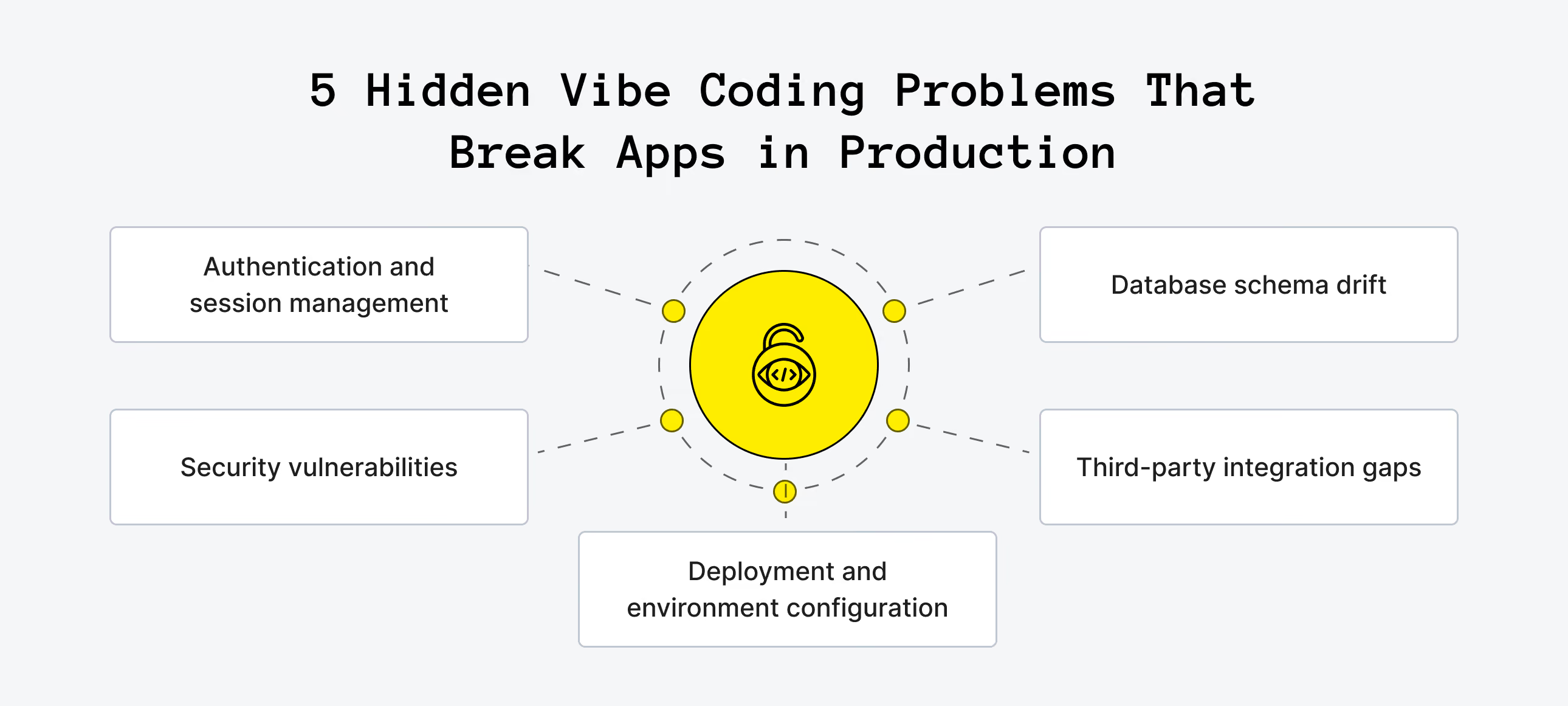
AI coding tools generate code that works in the environment where it was built: local machine, single user, no load, no edge cases. That environment does not resemble production. The vibe coding problems that surface in real use are predictable, not because the tools are bad at writing code, but because the prompting workflow lacks the system-level thinking that production infrastructure requires.
1. Authentication and Session Management
AI-generated auth handles the basic flow: sign up, log in, log out. It rarely handles the full contract a production app requires. Password resets that confirm server-side before sending a link. Sessions that invalidate across devices when a user changes their password. OAuth edge cases for accounts that exist in both email and Google sign-in. Concurrent sessions on the same account from different browsers. These gaps don't appear in developer testing. They appear when your first 20 real users interact with the app in ways you didn't script.
2. Database Schema Drift
Each new prompt adds a feature without reference to a coherent data model. Tables are created in isolation. The same concept (a user, a subscription, an order status) ends up stored in multiple places depending on which session built which feature. Foreign key relationships point at columns that no longer contain what was intended. Queries that worked in testing return inconsistent results in production because the underlying schema has no single source of truth. This is the most common vibe coding technical debt pattern, and it compounds everything else: auth problems get harder to fix when the user table has four competing representations.
3. Third-party Integration Gaps
Stripe, Twilio, SendGrid, Plaid — AI coding tools generate the happy path reliably. A payment form that charges a card. A message that sends. An email that delivers. What they do not reliably generate is the webhook handler that confirms the payment server side before marking an order complete, the retry logic when a message fails to deliver, or the idempotency key that prevents a double charge when a request times out. These gaps produce silent failures. A payment that processes on Stripe but does not record in your database is invisible until a customer asks why their order was not fulfilled. By that point, you have no idea how many similar failures have already occurred.

4. Deployment and Environment Configuration
Vibe coded apps run on the builder's machine and, in many cases, on a simple cloud hosting platform for the first deployment. The limitations of this approach appear when the app needs proper environment separation between development and production, server-rendered routes that do not fit a serverless architecture, background jobs that need to run on a schedule, or environment variables that are set inconsistently between local and deployed versions. A working local build that fails on deployment is often the first time teams run into this category of vibe coding limitations.
5. Security Vulnerabilities
45% of AI-generated code fails basic security tests. In a vibe-coded codebase, the most common patterns include:
- API keys committed directly to the repository instead of being stored as environment variables.
- No rate limiting on authentication endpoints, making brute force attacks trivial.
- SQL injection vulnerabilities in queries constructed from natural language prompts.
- Missing input validation that allows malformed data to reach the database.
None of these issues produce visible errors in normal use. They create silent vulnerabilities that only surface when a credential leaks, an account is compromised, or a bad actor discovers an unprotected endpoint. Beyond addressing technical vulnerabilities, teams building AI-powered applications should also consider broader EU AI Act compliance requirements, particularly around risk management, transparency, and governance as their products move into production.
Need a hand with your MVP?
Upsilon can help you plan and develop an MVP that'll grow to be a success!

How to Diagnose Which Limitation You're Hitting
The fastest diagnostic is to test the app the way real users will use it, rather than the path you took when building and testing it.
Authentication Test
Create three separate accounts. Log into one account from two different browsers at the same time. Trigger a password reset from one browser and check whether the other session is invalidated and whether the reset email arrives. If anything behaves unexpectedly (for example, random logouts, reset emails that do not send, or sessions that do not expire), the auth system has production gaps that prompting will not fix.
Database Test
Try to search or filter your own data across features. Run a query that joins two separate parts of the product, such as “users who signed up this week and completed at least one action.” Export a CSV. If any of these actions fail, return blank results, or produce different numbers on two consecutive runs, the schema has drifted beyond what the AI coding tool can repair internally.
Integration Test
Run a real transaction end to end for every third-party service the product uses. Use live mode, not test mode. Verify that your database recorded it, the confirmation email or message arrived, and the webhook handler logged the event. A silent failure here means you have no way of knowing how many real transactions have already failed without your knowledge.
Load Test
Open your app in five browser tabs and have each one perform a significant action at roughly the same time. Many vibe-coded apps lack proper database connection pooling and will time out or return errors at low concurrency. If performance degrades noticeably above 5–10 simultaneous users, the infrastructure layer needs work.
Security Check
Search the repository history for any commits that included API keys, database connection strings, or service credentials. If version control was not set up, that is itself a critical problem. In that case, there is no way to audit what was committed and later removed, and no safe baseline to work from.
Not every issue in a vibe-coded app requires the same level of effort to fix. The table below shows which problems can realistically be solved through prompting and which ones typically require engineering intervention.
As the comparison shows, prompting can solve surface-level issues, but infrastructure and architecture problems require engineering rather than more AI-generated code.
What You Can Still Fix Inside Your AI Coding Tool
Not everything in a vibe-coded project is infrastructure. Some categories of problems are safe to keep addressing through the AI coding environment without touching the broken layer underneath.
- Visual bugs and UI layout. Broken responsive behavior, misaligned elements, inconsistent spacing, and similar issues sit at the surface layer. As long as the fix does not require writing to a database or reading from an authentication state, it is safe to prompt for changes. The risk appears when a UI change also needs to reflect something in the data layer.
- Copy and content. Updating text, replacing placeholder content, changing labels, and adjusting error messages do not touch the infrastructure layer. These are safe to handle in the AI coding tool regardless of what is broken underneath.
- Simple feature additions that are fully self-contained. Adding a new static page, embedding a third-party widget (for example, a Calendly link, a Loom video, or a feedback form that posts to a separate service), or adjusting a configuration value in a settings file is typically safe, as long as the new feature has no dependency on the database, the auth system, or an existing integration.
- Styling and theme changes. Colors, fonts, spacing, and dark mode live entirely in the presentation layer, and the AI coding tool generally handles them reliably.
The boundary is consistent. The moment a change needs to write to or read from the database in a new way, touch the authentication flow, depend on an integration behaving correctly, or run under a production environment configuration, you should stop prompting and assess whether the underlying system is solid enough to build on. Adding code on top of a broken infrastructure layer increases technical debt on a shaky foundation, rather than fixing the core problem.
What Requires an Engineering Team
Not all vibe coding problems can be resolved through an AI coding tool alone — and not because the tools are incapable of writing the relevant code. Fixing these issues requires reading the full system context, running migrations against live data, and making changes that cannot be undone if something goes wrong.
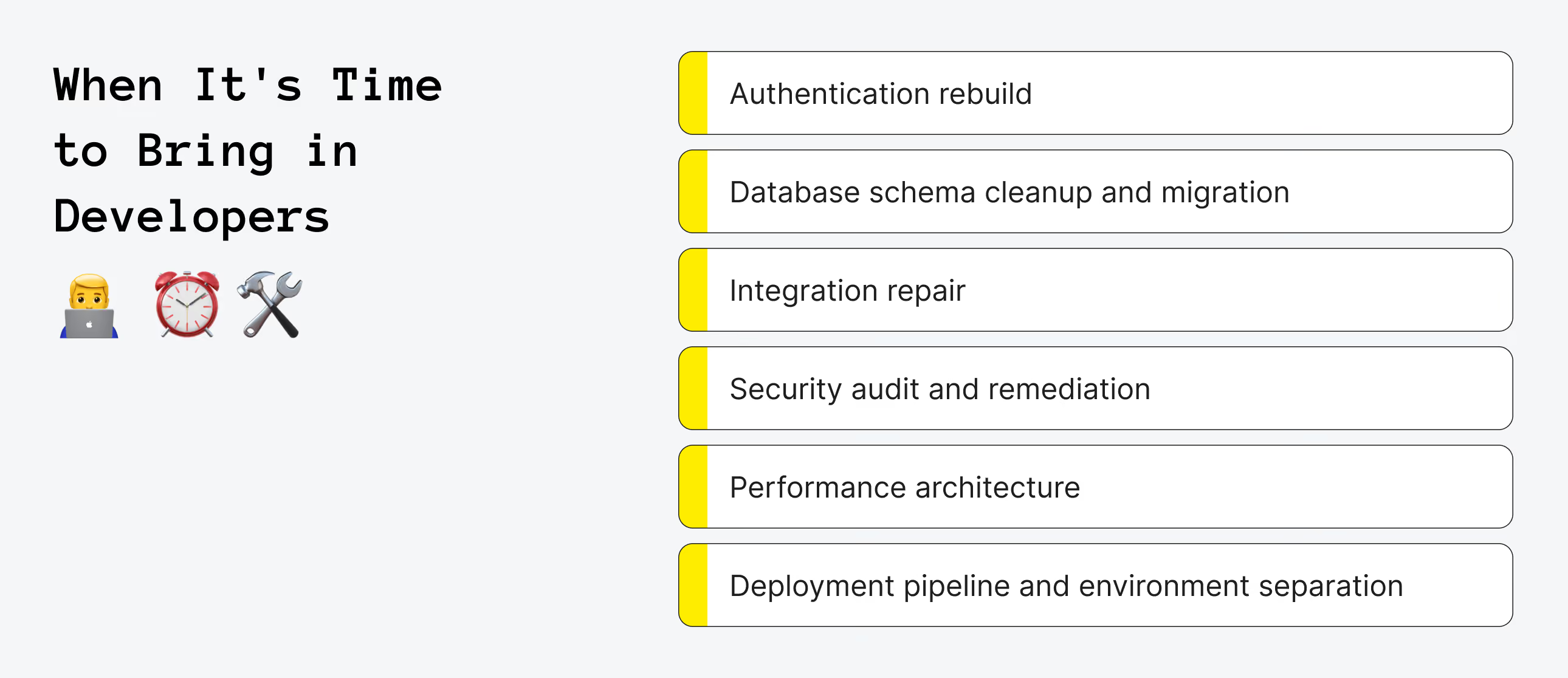
Authentication Rebuild
Replacing AI-generated authentication with a production implementation takes 1–2 weeks. The work involves identifying every location in the codebase where auth state is read, every downstream service that depends on it, and a migration plan that does not lock out existing users during the switch.
Database Schema Cleanup and Migration
Auditing the schema, reconciling duplicated concepts, rewriting queries that depend on a clean structure, and executing migrations against a live production database without data loss usually requires 1–3 weeks of careful engineering. No prompt can substitute for a developer who reads the full schema, understands the intended data model, and writes migration scripts with rollback plans.
Integration Repair
Bringing each third-party integration to production standard means adding server-side verification, webhook handling, idempotency keys, error logging, retry logic, and edge case coverage. This typically adds roughly 1 week of focused work per service and marks the difference between an integration that passes happy-path testing and one that can handle the one-in-fifty transaction that fails.
Security Audit and Remediation
Scanning the codebase for credential exposure, closing injection vulnerabilities, adding input validation and rate limiting, and setting up proper secret management usually takes 1–2 weeks. This work should be completed before any real user data enters a production system.
Performance Architecture
Designing and tuning database connection pooling, query optimization, caching strategy, and infrastructure configuration for real traffic often requires 1–3 weeks, depending on the gap between the current setup and what the product actually needs.
Deployment Pipeline and Environment Separation
Setting up development, staging, and production environments with proper secret management, continuous integration and deployment, and monitoring typically takes 3–5 days and is the foundation that makes all the work above safe to perform.
The Stack Overflow Developer Survey 2025 found that 66% of developers experience a productivity cost when working with AI coding tool output, not because the code does not run, but because it introduces subtle problems that take longer to debug than code written with full context. The vibe coding mistakes that create the most rework are rarely the obvious errors. They are the architectural choices that seemed acceptable in isolation but compound into something unmaintainable under production conditions.
How to Prepare Your Vibe-Coded Project for Handoff
A vibe-coded project is a legitimate starting point for professional development. Taking a prototype built in an AI coding tool and bringing it to production grade is a well-established path, where the working UI and specified behavior serve as the foundation rather than a blank file. What determines how quickly and smoothly that process proceeds is the quality of what the engineering team receives at handoff.
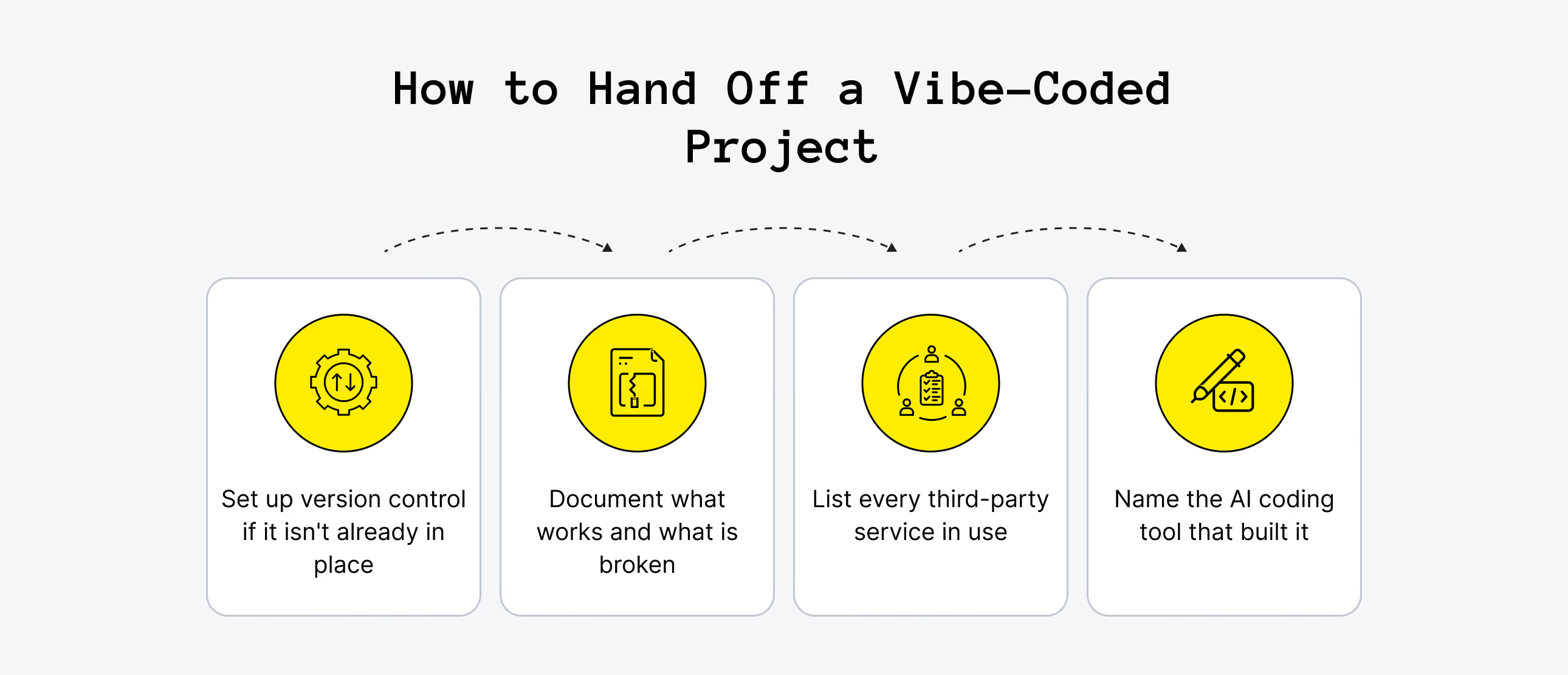
Step 1. Set up Version Control If It Isn't Already in Place
Export the full codebase and push it to a private GitHub or GitLab repository. This is the first thing any engineering team will ask for. Without a git history, there is no way to audit what was committed, no way to understand what changed, and no safe baseline to branch from. When version control is missing, it can roughly double the time it takes to assess what already exists.
Step 2. Document What Works and What is Broken
Write down in plain language what the product is supposed to do, what currently works reliably, and what is failing. For example, “The sign-up flow works but password reset sends no email” is far more useful than a vague bug report. “Stripe charges go through but orders are not recorded in the database” gives an engineer a specific starting point. The more specific the failure description, the less time is spent reproducing problems instead of fixing them.
Step 3. List Every Third-Party Service in Use
Stripe, SendGrid, AWS, Google Auth, Twilio, Cloudinary and others should all be listed, along with the account each is billed to and whether credentials are stored in environment variables or (unfortunately) directly in the codebase. Engineers often spend significant diagnostic time just mapping which services are in use before they can assess what is broken and why.
Step 4. Name the AI Coding Tool That Built It
Cursor, Lovable, Bolt, Replit, and v0 each produce recognizable patterns in the code they generate. Knowing which tool was used tells an engineer where to look first for the specific vibe coding pitfalls that tool tends to produce. For example, Lovable often generates a distinct approach to state management, while Bolt has known patterns around environment variable handling. Having this context can save days.
-p-2000.png)
What It Costs to Fix or Rebuild
There are three main scenarios. The right one depends on the state of the codebase.
Isolated Fixes
One component is broken: a deployment fails, a single integration misfires, or a UI bug appears in a contained flow. In this case, a dedicated developer for 1–2 weeks at Upsilon's on-demand developer rate ($45–$55/hr) typically costs between $3,600 and $8,800. This applies when the codebase is coherent enough to isolate the problem without disturbing everything else.
Partial Rescue
Authentication needs a rebuild, the schema requires cleanup, and one to three integrations need production-grade implementations. This is the most common scenario for vibe-coded projects that have reached real users. A focused sprint of under one month, handled by a small experienced team, typically runs around $10,000. The deliverable is not a new product but the existing UI and specified behavior running on a solid infrastructure foundation. Digital product studios that offer structured rescue engagements are well suited for this type of work.
Rebuild from Specification
The codebase has no version control, no coherent schema, security vulnerabilities throughout, and no separation of concerns. In this situation, the vibe-coded product has validated the idea and clarified what the product should do. That validated specification is the real value, and the code is not. A focused rebuild, scoped to what the vibe-coded version proved users want, costs between $20,000 and $65,000 and takes roughly three months. This is similar to the investment required to build the MVP correctly from the start, but with one crucial advantage: you already know what to build.
The decision between partial rescue and rebuild comes down to a single question: is the existing codebase a foundation worth building on, or is it essentially a requirements document in disguise? Getting an honest answer before committing to either path is worth $6,000. Making the wrong call and discovering it three months into a rescue effort costs considerably more.
Want a quality MVP right on your first try?
Upsilon's expert team can help plan, build, and scale your product!
Vibe Coding Limitations: Stop Doubting, Start Building!
Vibe coding isn't the problem. Expecting it to replace production engineering is. AI coding tools are incredibly effective for validating ideas, building MVPs, and accelerating development, but every successful product eventually reaches the point where architecture, security, scalability, and reliability matter more than generating the next feature. Knowing where that boundary lies is what separates projects that keep growing from those that grind to a halt.
At Upsilon, we help non-technical founders move beyond that point. Whether you're launching a brand-new AI-built MVP, trying to rescue a vibe-coded app that's becoming harder to maintain, or deciding whether to repair or rebuild your existing codebase, our team can help you take the next step with confidence. Our vibe coding services are designed to bridge the gap between AI-generated prototypes and production-ready software, so you don't have to abandon the progress you've already made. If you're ready to turn your project into a stable, scalable product, contact us, and let's discuss the best path forward.



FAQs
What are the most common vibe coding limitations that break startup projects?

The five that appear in nearly every vibe-coded project that reaches real users: authentication failures at multi-device and password-reset edge cases, database schema drift from additive prompting, silent failures in third-party integrations (Stripe, SendGrid, Twilio), deployment configuration that only works on the builder's local machine, and vibe coding security issues including exposed API keys and unvalidated inputs.
Of these, auth and database problems are the most common, and they compound each other, because bad auth combined with a drifted schema means you have no reliable picture of who can access what.
Can I fix vibe coding technical debt without rebuilding from scratch?
In most cases, yes. However, the answer depends on whether version control was set up and how far the database schema has drifted. If the codebase has git history, a coherent enough data model, and security vulnerabilities that are isolated rather than systemic, a partial rescue is possible. Think of 4–8 weeks to fix auth, clean up the schema, and harden the integrations. If there is no version control, no coherent schema, and security problems throughout, the cost of cleaning it up typically exceeds the cost of a focused rebuild using the vibe-coded product as a specification.
How long does it take to fix a broken vibe coding project?
Isolated fixes such as a single broken integration, a deployment failure, or a UI bug usually take 1–2 weeks with a dedicated developer. A partial rescue that covers authentication, database cleanup, and core integrations typically takes 4–8 weeks. A full rebuild on a clean foundation, focused on what the vibe-coded version showed users actually want, takes roughly 3 months.
How much does it cost to fix vibe coding problems in a production project?
There are three cost bands depending on severity. Isolated fixes typically cost between $3,600 and $8,800 and take around 1–2 weeks with one developer at $45–$55 per hour. A partial rescue, such as rebuilding authentication, cleaning up the database, and stabilizing core integrations, usually falls in the $10,000 to $20,000 range. A full rebuild based on the existing vibe-coded specification costs approximately $20,000 to $65,000 and takes about three months, similar to a standard MVP timeline. The $6,000 discovery sprint almost always pays for itself, as founders who skip it regularly underestimate the rescue scope by a factor of two to three.
When should I stop prompting and hand my vibe coding project off to a developer?
Stop when the problem is in the infrastructure rather than on the surface. For example, if users are experiencing auth failures or getting locked out, if payments are going through on Stripe but not being recorded in your database, if the app slows noticeably once you have more than 10 concurrent users, or if you suspect that API keys or credentials are exposed in the codebase, it is time to stop. Continuing to prompt on top of a broken infrastructure layer just generates more surface-level code on a weak foundation. The earlier you hand it off, the less remediation work there will be.
When should I prepare before handing off a vibe-coded project to an engineering team?
Four things matter most: repository access (or a full codebase export if there is no version control), a plain-language description of what works and what is broken, a list of every third-party service in use along with the account it is billed to, and the name of the AI coding tool that built it. Cursor, Lovable, Bolt, and Replit each produce recognizable patterns, so knowing which tool was used tells the developer where to look first. The more context you provide upfront, the less time the team spends reverse-engineering intent.
to top